Family Accounts
How I made it easier for parents to manage their kid's medical care

One Medical is a membership-based primary care practice focused on preventive healthcare. Since 2007, we’ve provided in-office and virtual services for individuals looking for a simpler, more tech forward approach to getting care. In 2020, there was a 5% increase in pediatric memberships, making it a top priority to enhance our pediatric profiles.
Our goals for improving pediatric profiles included simplifying the process for new and existing members to add child dependents to their One Medical membership. Additionally, we aimed to streamline how members manage dependent profiles by enabling them to oversee all profiles from a single account, taking into account variations in family access..
This case study explores the multi-phased approach to enhance how parents, teens, and children schedule and manage appointments, view personal health information, and set profile preferences. With these enhancements, we project to see an increase in scheduled pediatric appointments and a decrease in support tickets to our support teams.
My role as design lead
As the staff product designer on the pediatrics team I was part of a domain triad. At One Medical each domain, like pediatrics, has a single functional leader for each core discipline. There is one designer, a product manager, and either an engineering feature lead or an engineering manager. We are the strategic leaders establishing the customer need, scope, and capabilities of each project and work together to set goals and define roadmaps.
My key responsibilities included:
Conducting early generative research to capture member insights and needs
Producing synthesized summaries of high priority enhancements that would improve member engagement
Defining long-term customer experience product vision to influence short-term roadmaps and projects phases.
Designing both low and high fidelity designs at appropriate phase of the project using Figma
Supporting an engineering team of eight during development with design QA across iOS, Android and responsive web platforms.
The problem for pediatrics profiles
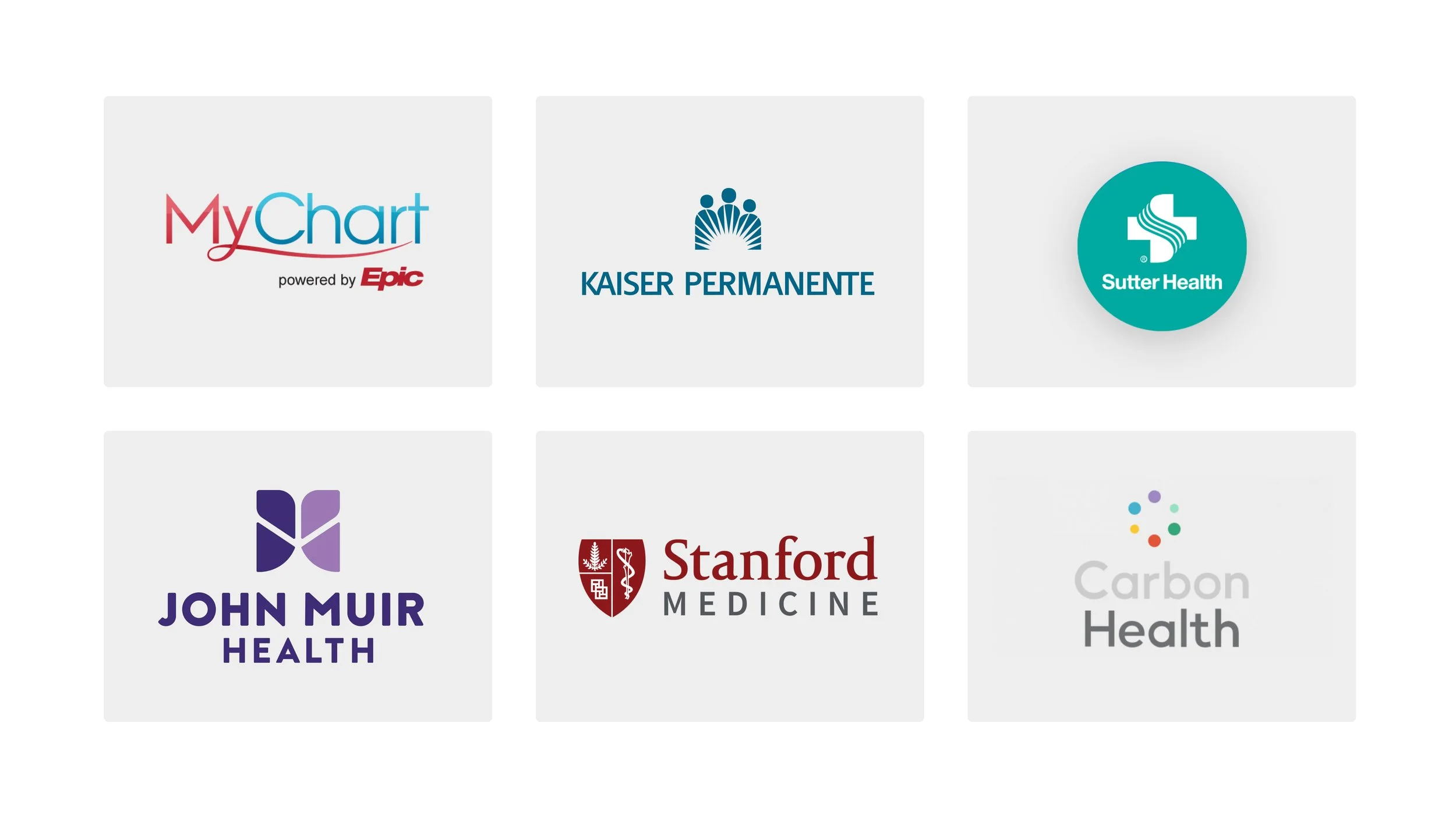
Earlier versions of One Medical were designed to work best for individual members. Despite families having come to expect household profiles, as it had become common in medical apps such as MyChart, Sutter Health, and Kaiser, there was no concept of a household profile or family membership structure within One Medical’s applications.
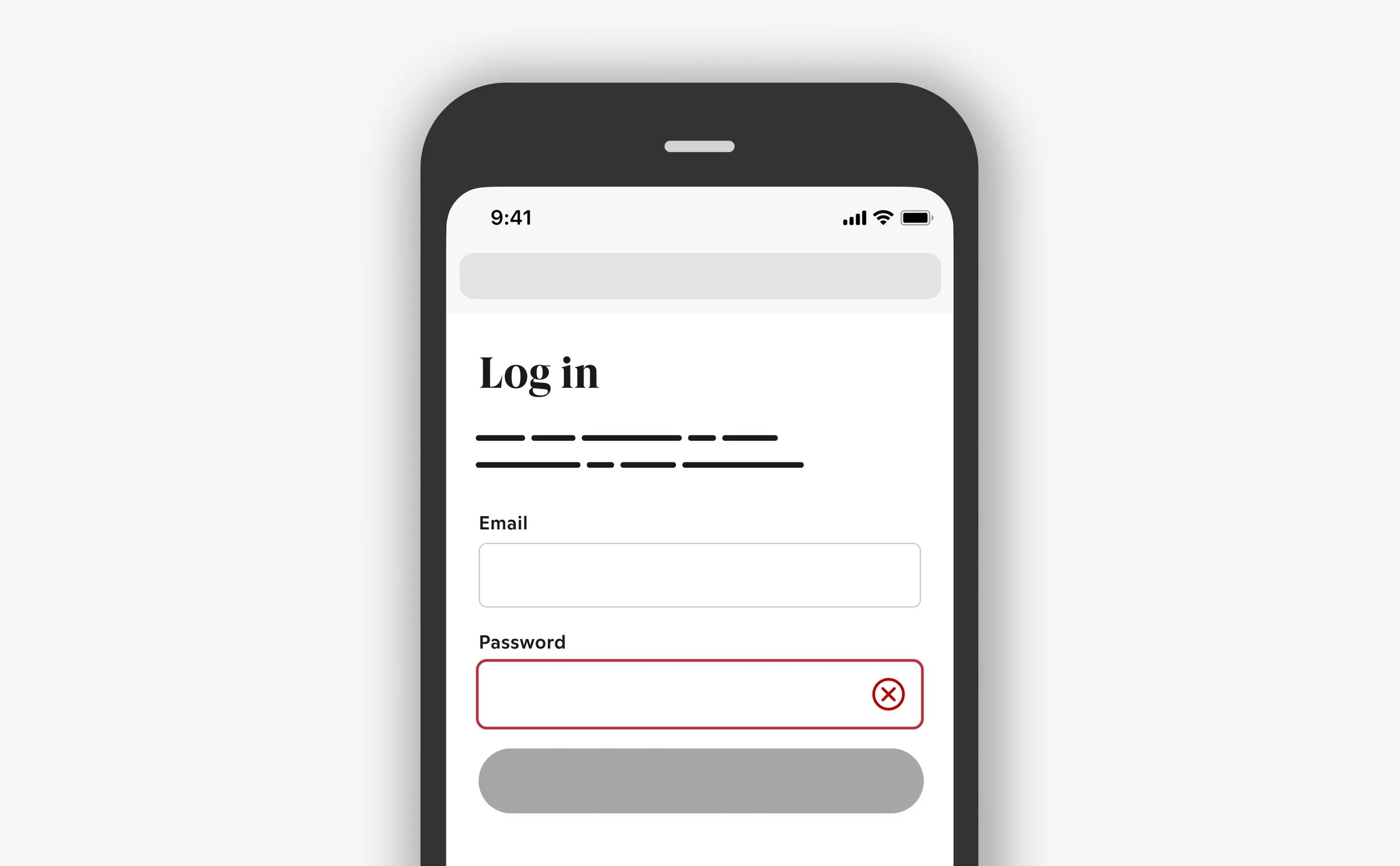
Each person had to register, create a profile, and pay for their membership separately. Members were unable to add dependents to their memberships or easily switch between profiles. Members with dependents were frustrated that booking an appointment for their child required them to log out of their own profile, remember their child’s unique credentials, and log in as thier child on a completely separate profile. This cumbersome process resulted in a 26% increase in the number of customer support tickets from parents needing help with resetting their child’s account credentials.
“It’s annoying that I can’t manage my kids appointments on their behalf and I need to log in to a completely separate account.”
Additionally, managing multiple sets of credentials and profiles negatively impacted clinical engagement within our pediatric medical offices. On average only 8% of pediatric members were booking appointments over a 60 day period, as compared to other age brackets where an average of 63% were booking appointments over the same period. Pediatric patients' appointments should be more frequent and predictable as the American Academy of Pediatrics (AAP) requires babies to get checkups on average eleven times within 36 months of birth. This indicated a barrier within our product for these families.
The Discovery
Help people care for their family
To kick off research, I organized an internal roundtable with cross-functional stakeholders from clinical, marketing, operations, and product teams to discuss and define goals for a member satisfaction survey.

In the survey, our aligned objectives were to learn about the biggest challenges when getting care for family members, understanding motivations for joining One Medical as a family, and capturing the overall satisfaction with their families membership. The survey ran for one week and included 16 total questions. We sent it to two hundred members of pediatric patients and received 165 responses.
Profile management was the highest requested feature from our members with dependents. 84% of participants felt it was very important to have a single set of credentials to manage their child’s care and appointments. The survey participants making up the 84% had children under the age of 12. The remaining 16% of participants had adult children or teens between 12-18, which impacted their rating.
Other key requested features from this study included:
Ability to book back-to-back appointments for siblings
A family dashboard for managing everyone’s provider messages, lab results, and appointment reminders from one location.
After-hours and weekend appointment availability
Industry best practices
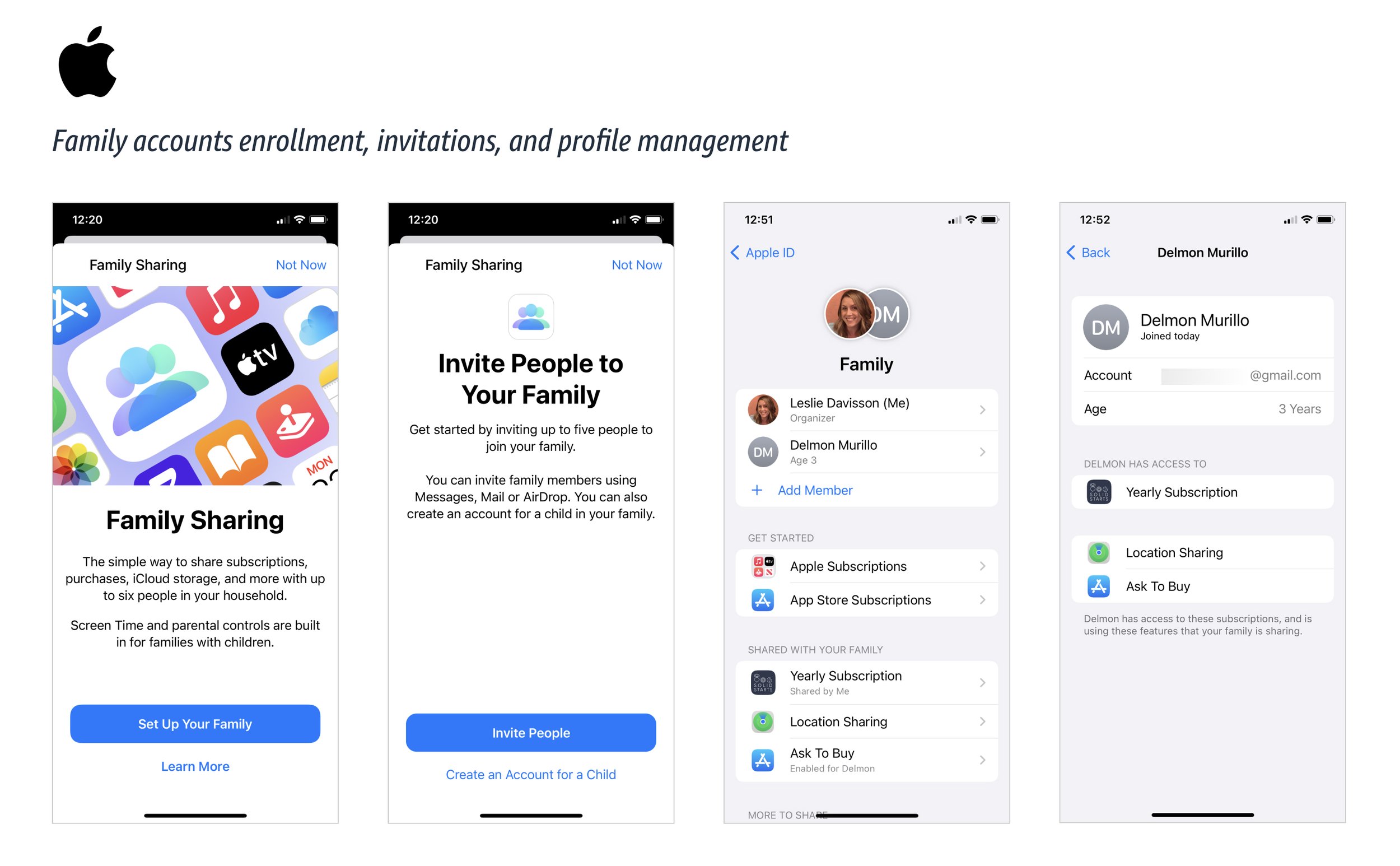
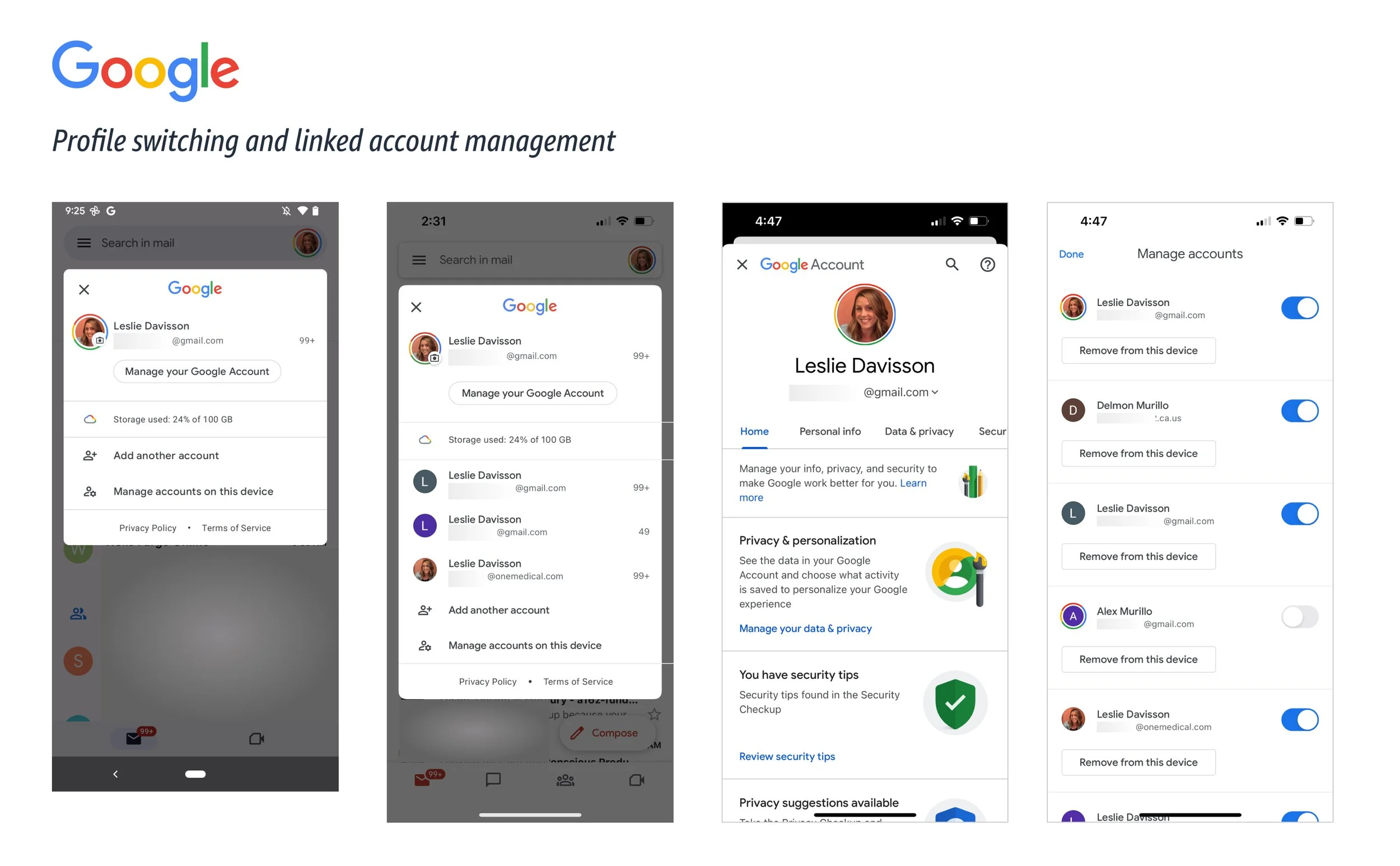
Focusing on account and profile management as the first problem to solve for our pediatric profiles, I looked at products like Apple, Amazon, Google and Slack to see examples of how profiles are managed and compare menu systems for switching between profiles.
Competitive Analysis
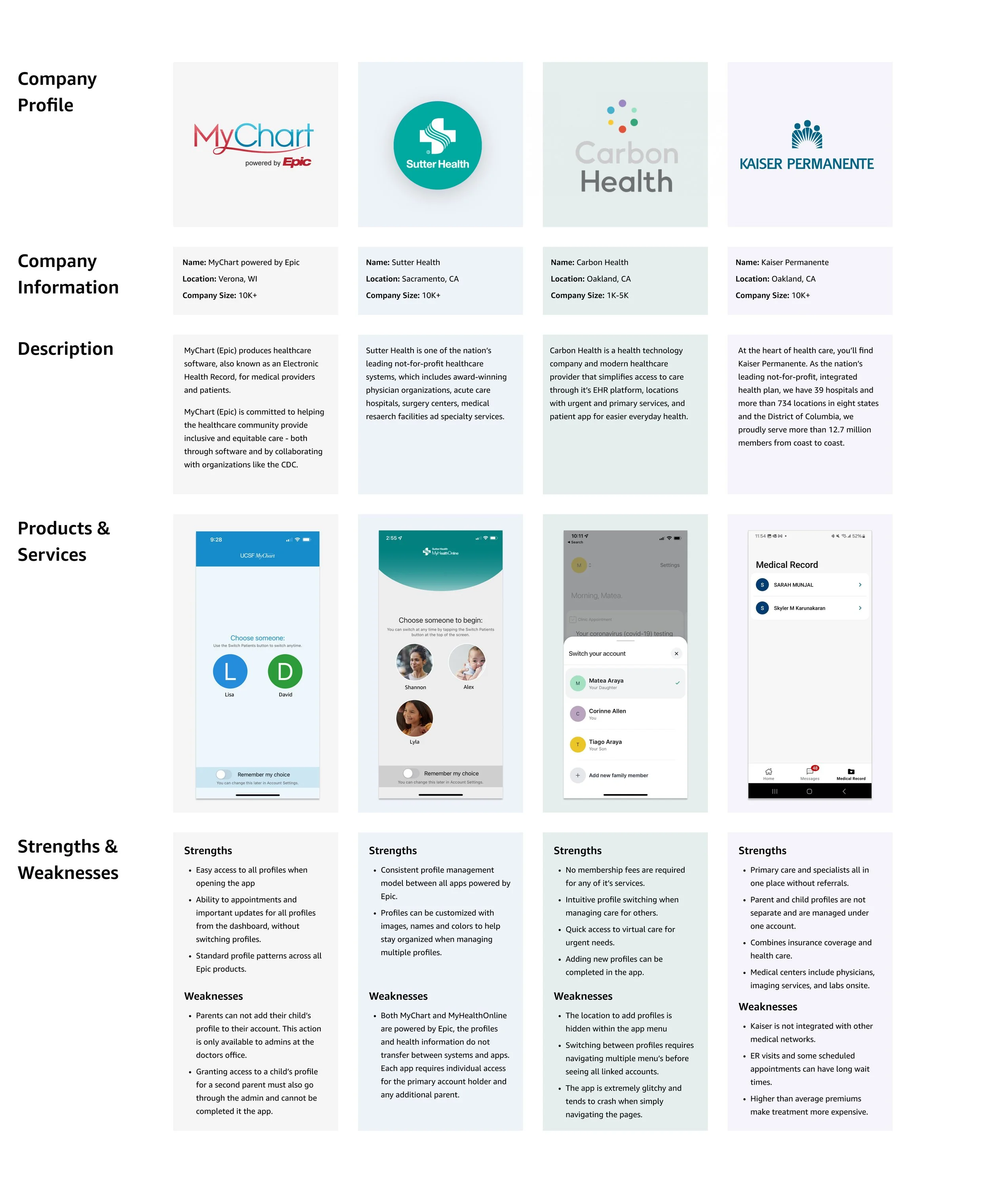
In the healthcare space, I looked at both traditional health institutions and boutique healthcare to capture areas of strength and weaknesses to influence our solution. While all selected competitors had a method to view and manage family profiles, only one, Carbon Health, allowed the patient to add family members to their account without assistance from an office administrator.
Ideation and definitions
Before starting designs, I facilitated a workshop with my product team and triad leaders to develop project principles and personas to inform my approach to design solutions. Establishing product principles simplifies decision making when exploring multiple product solutions and aligns the team and senior leaders on a vision.
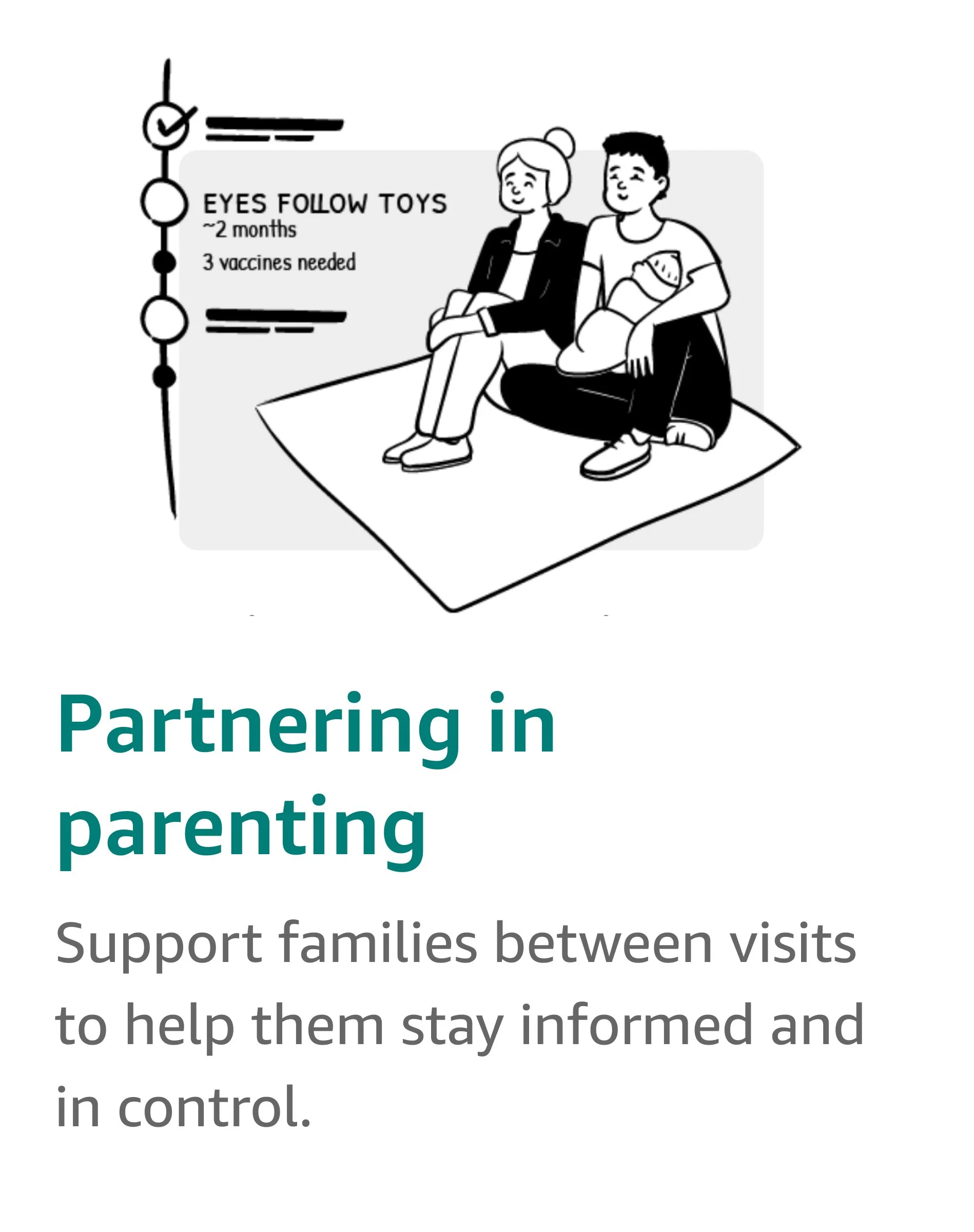
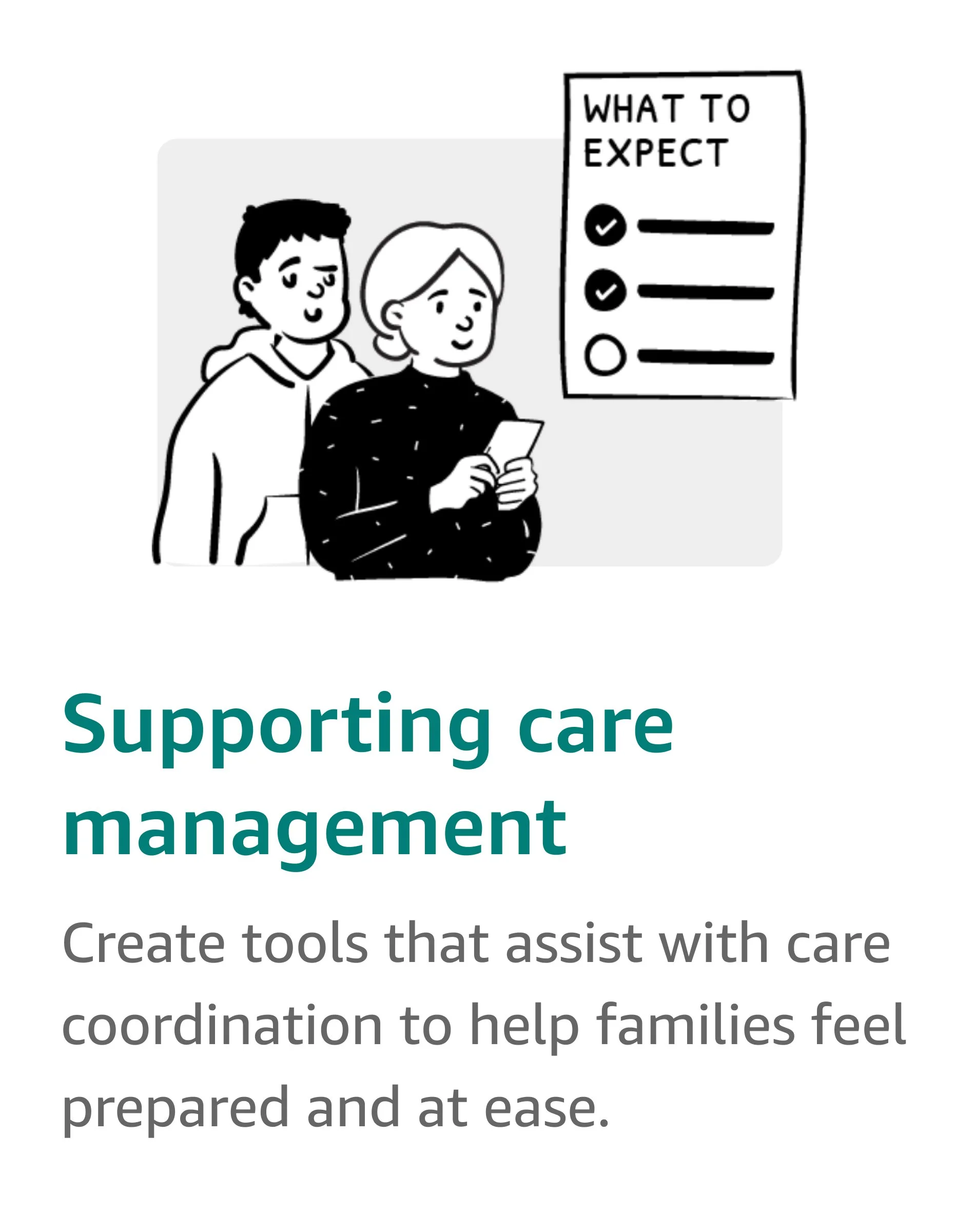
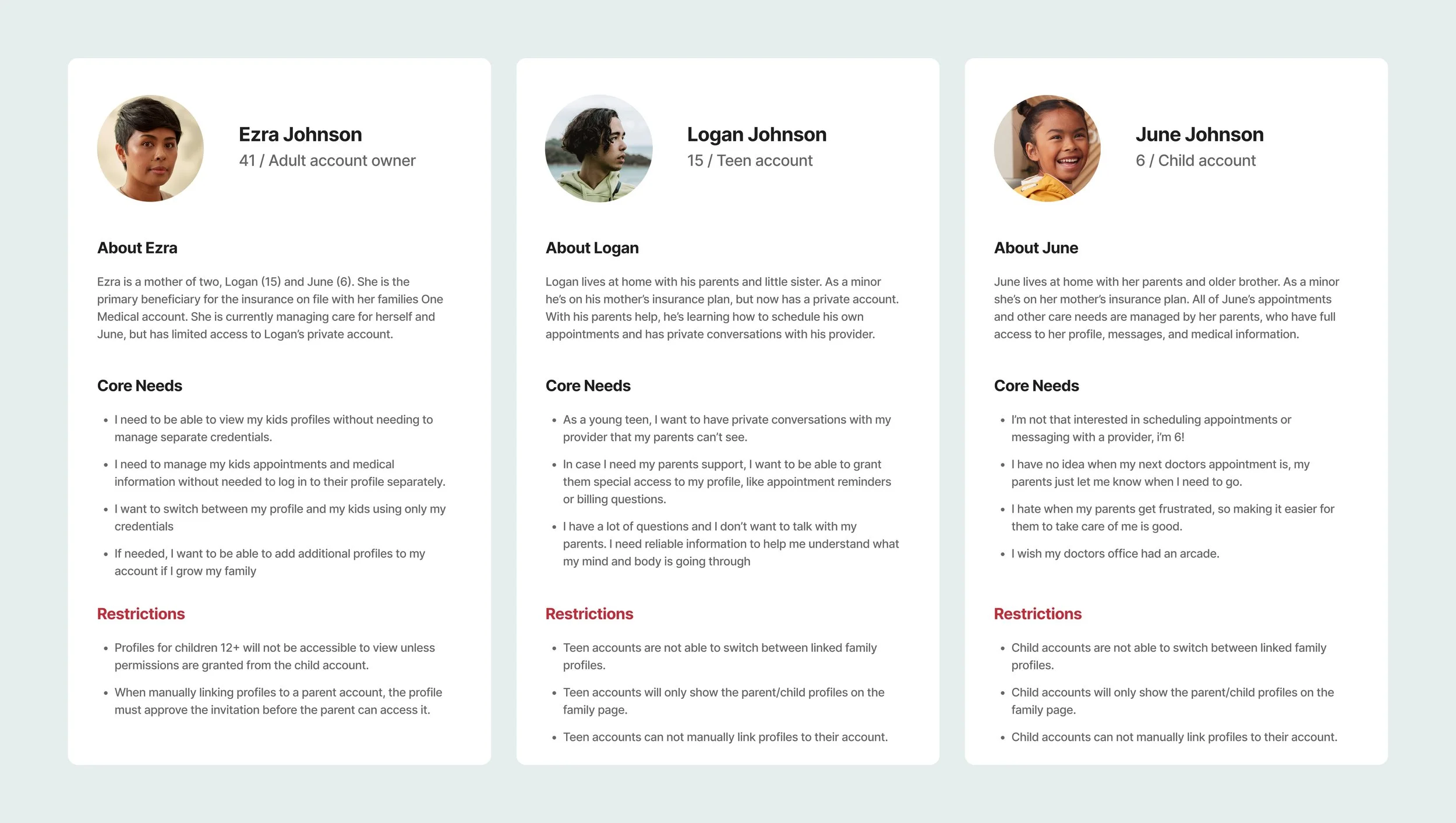
Personas were created to establish roles, access levels, and determine which functionality should be made available, limited, or restricted. The personas also informed early versions of key user flows, defining the deliverables for phase one of family accounts.
Design Process
The designs for this project were rolled out in three phases:
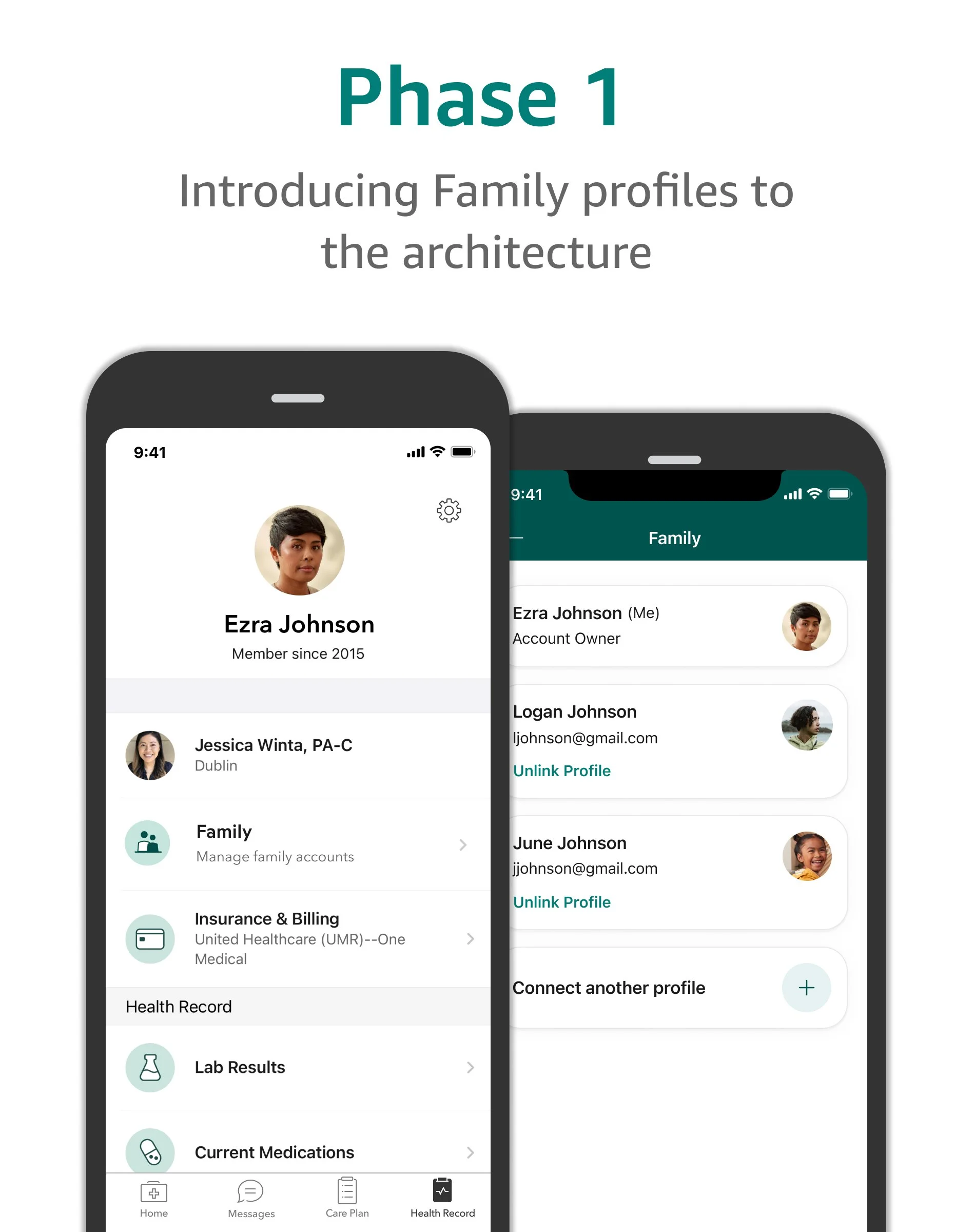
Phase 1: Introducing family profiles to the app architecture
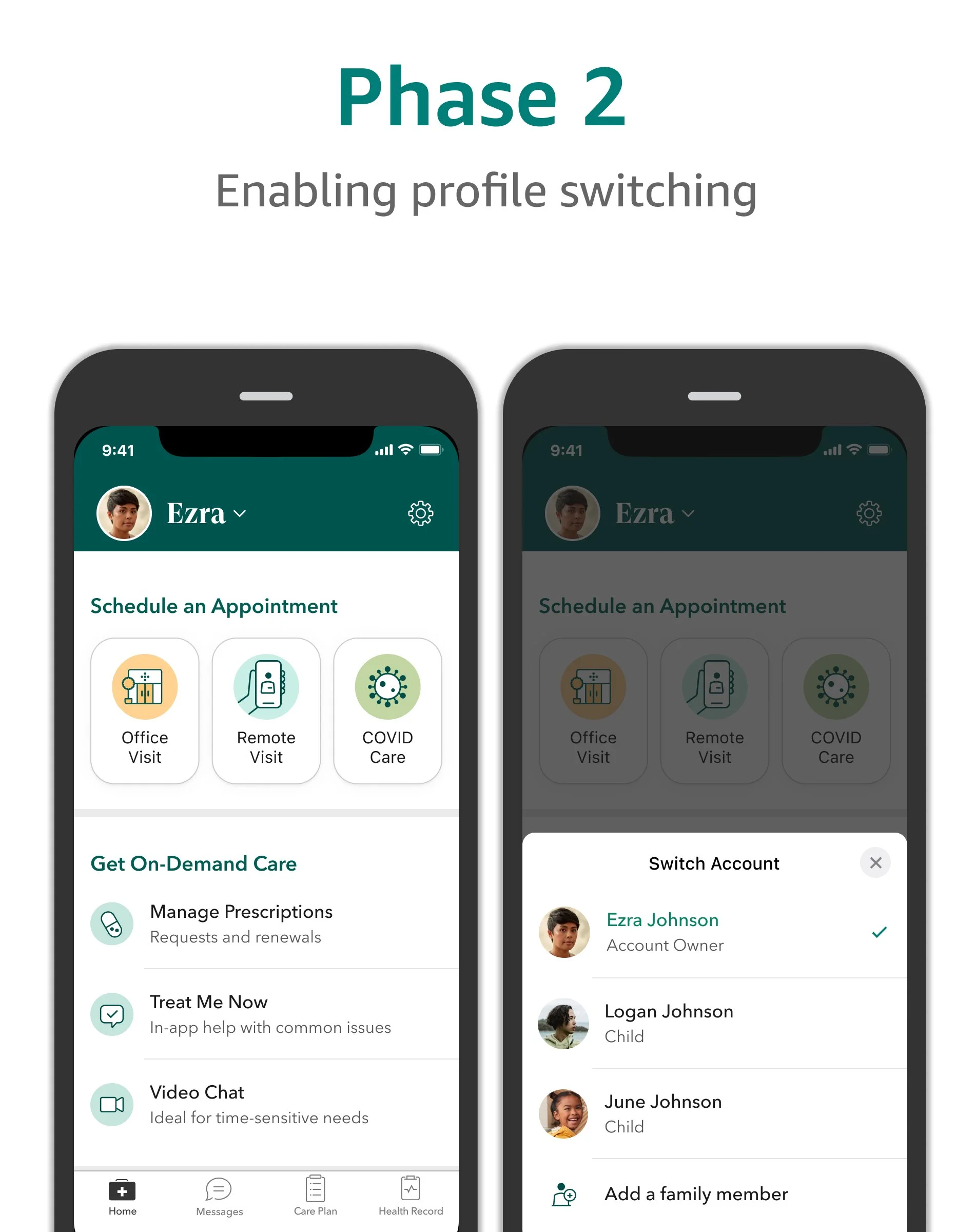
Phase 2: Enabling profile switching
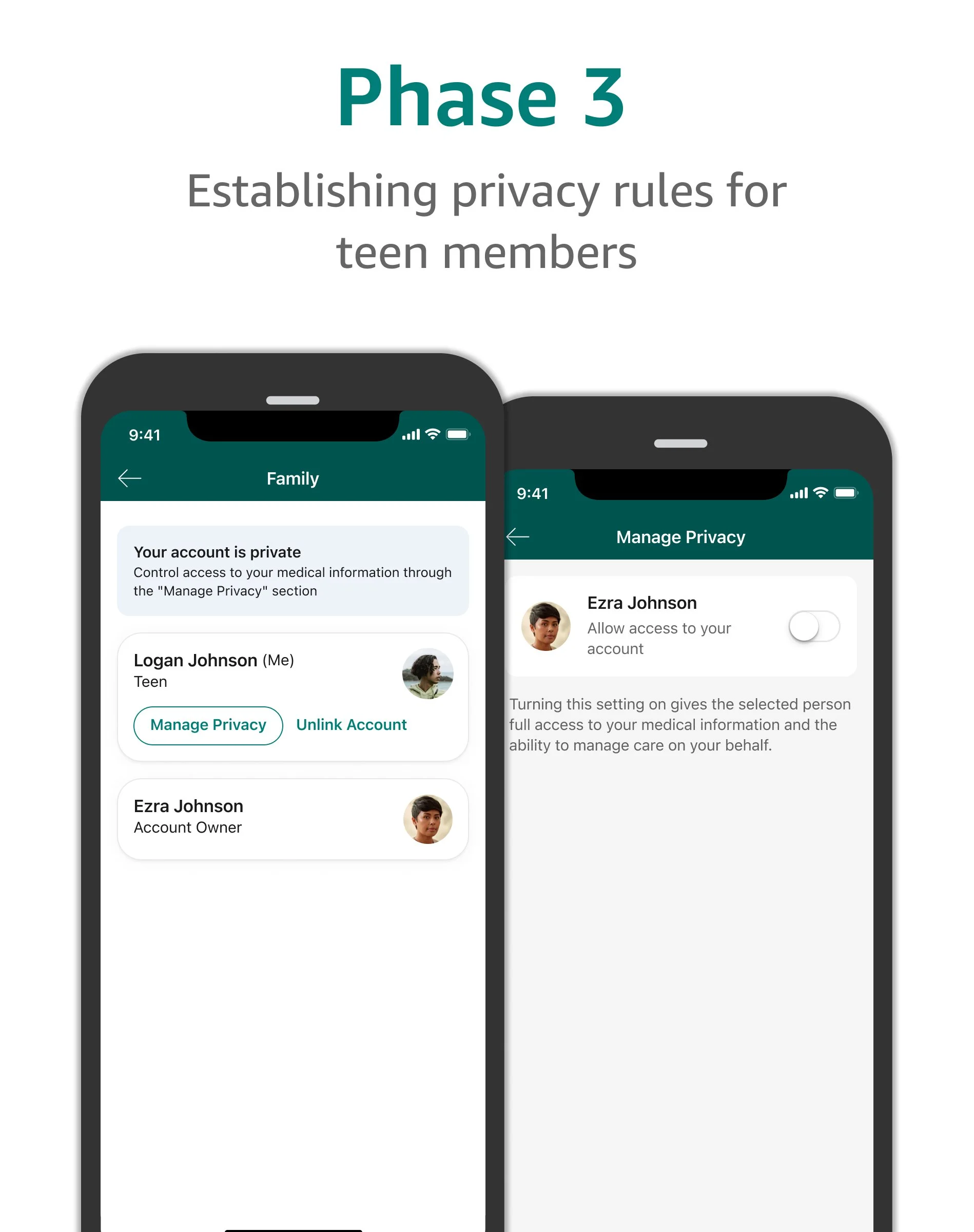
Phase 3: Establishing privacy rules for teen members
Phase One
Introducing the family page to the app architecture
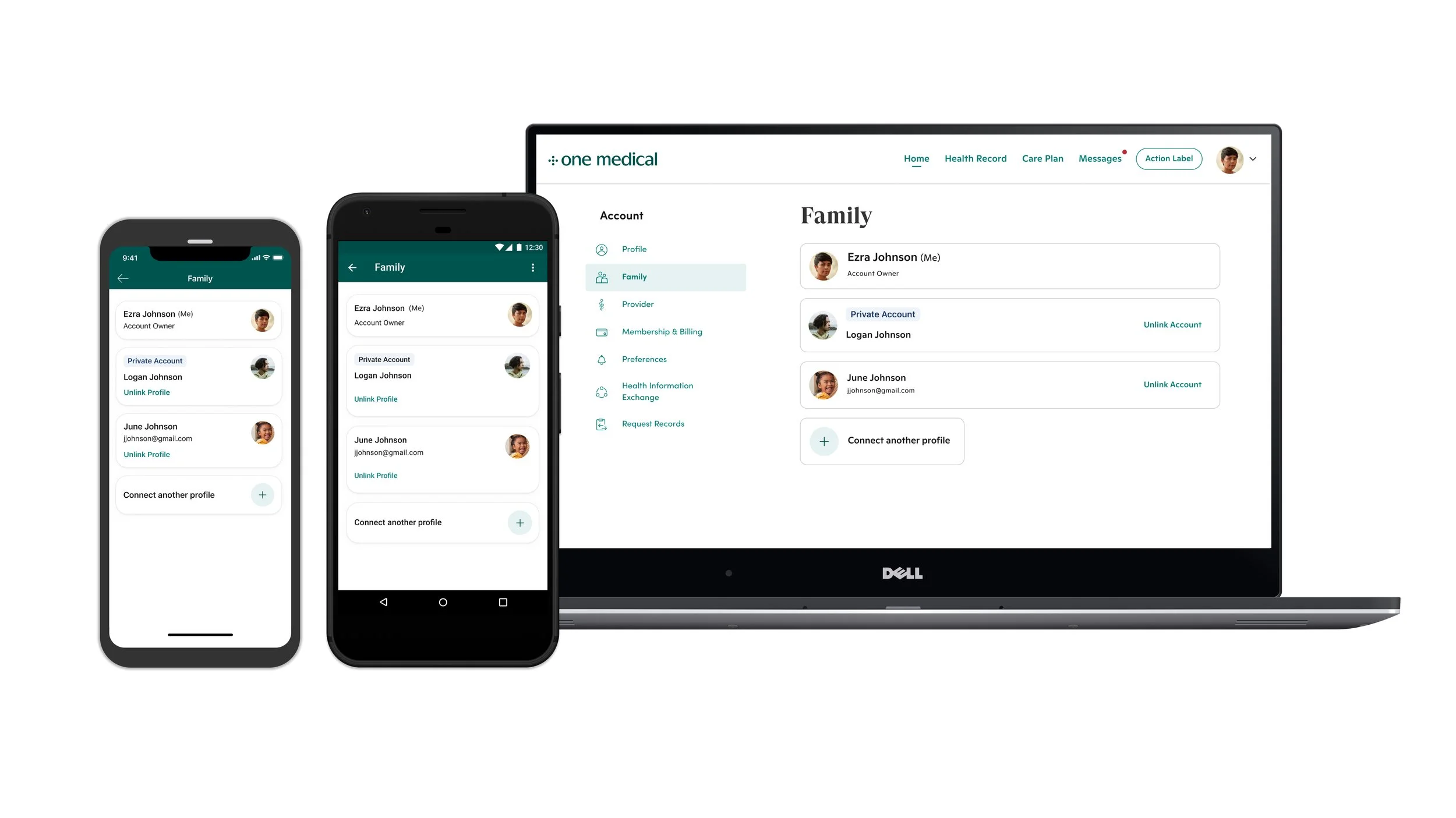
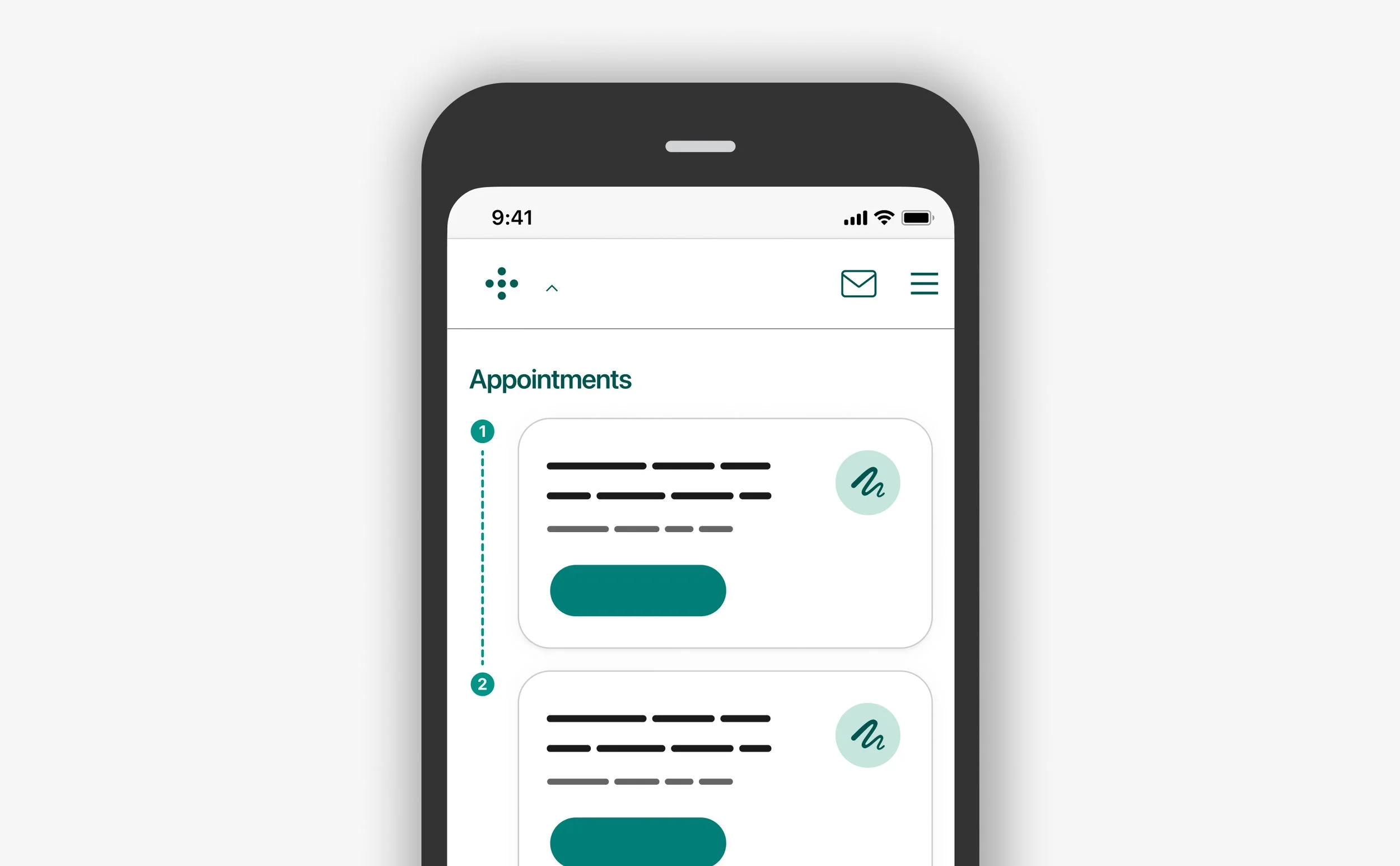
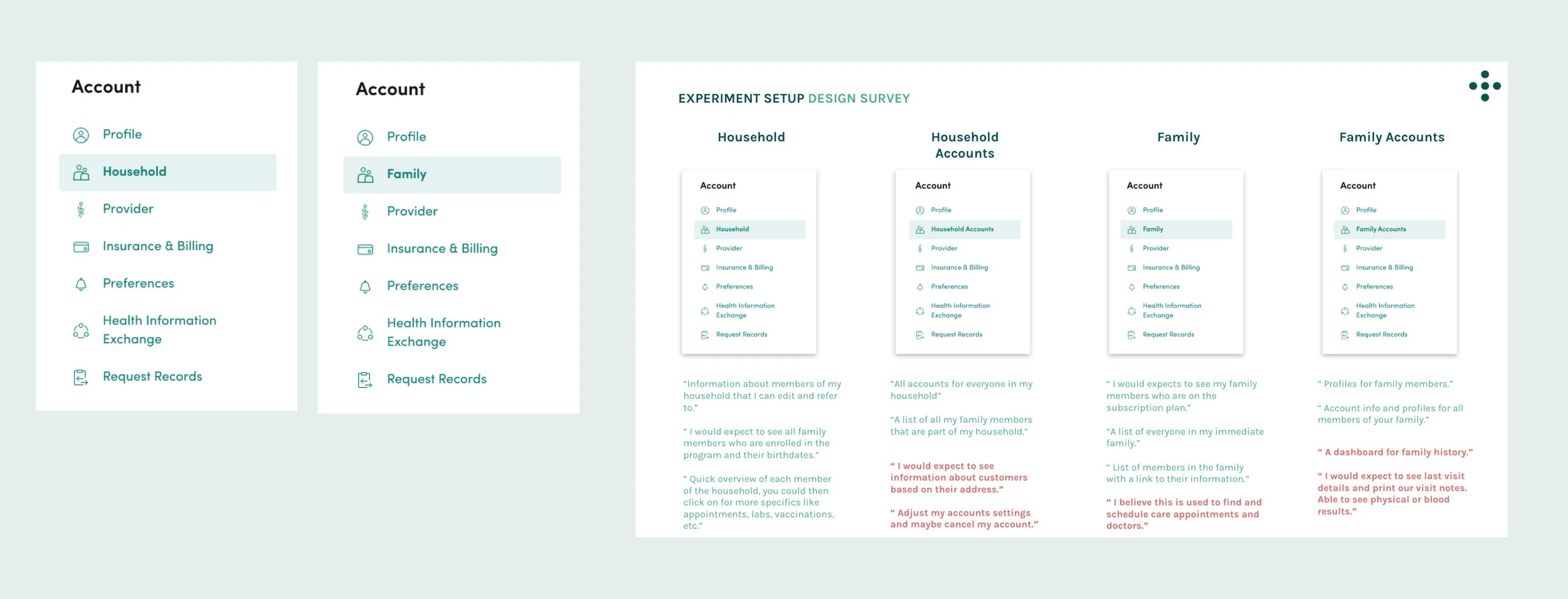
Because One Medical did not have the concept of family profiles or memberships, we had to consider where this new area would best fit within the existing navigation architecture of the web app, iOS and Android platforms. I considered adding our family profiles to existing sections like ‘Profile’ or ‘Membership’, but each would require a redesign to accommodate the planned functionality of profile management and preferences. Ultimately, I decided that creating a new section in the Account navigation would improve findability and scalability.
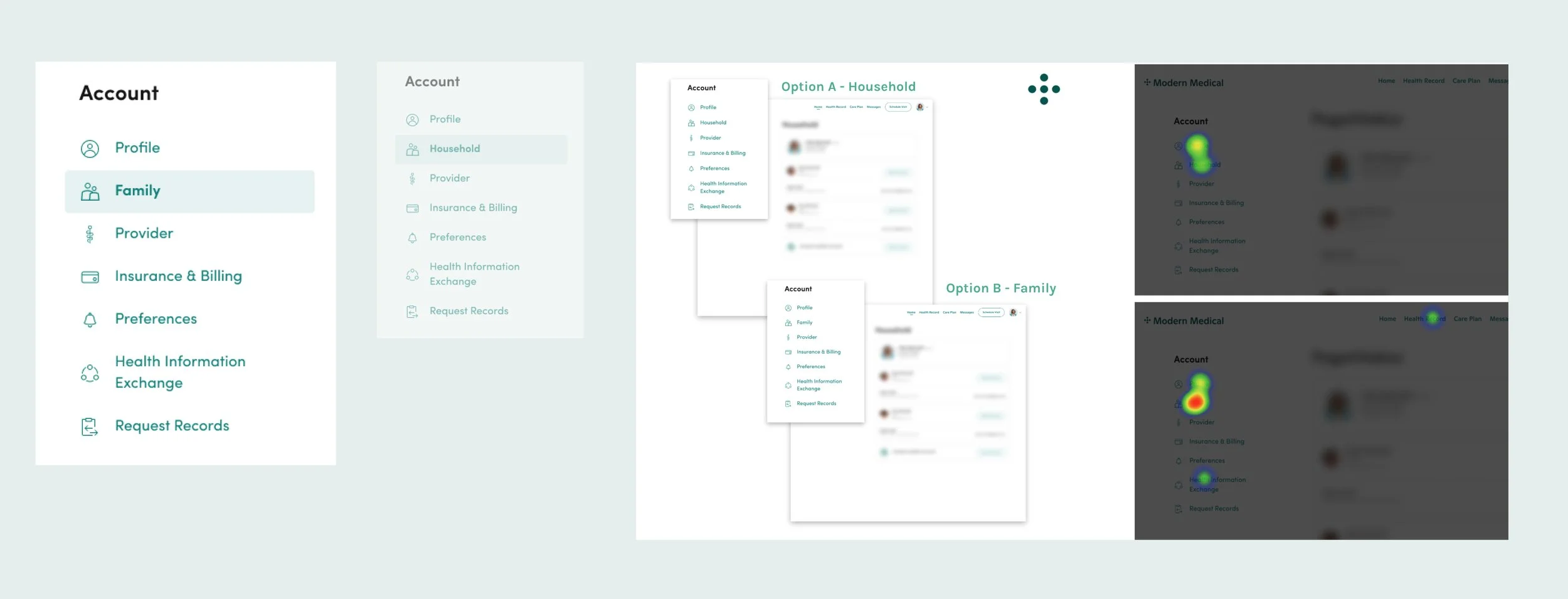
Our next milestone within phase one was to align on a name for this feature. I conducted a comprehensive two-part study to first survey members to establish a short list of potential names, followed by a first click test to validate user expectations based on the page name.
Of the two tests “Family” had overall the most clicks with a 40% confidence rating among the participants and the lowest average click time of 1.5 seconds.
Our final milestone for phase one was defining how existing parent members would link their child’s profile to theirs. We were able to connect over 82% of parents and kids accounts automatically, but we still needed a manual solution that would allow parents to securely connect profiles.
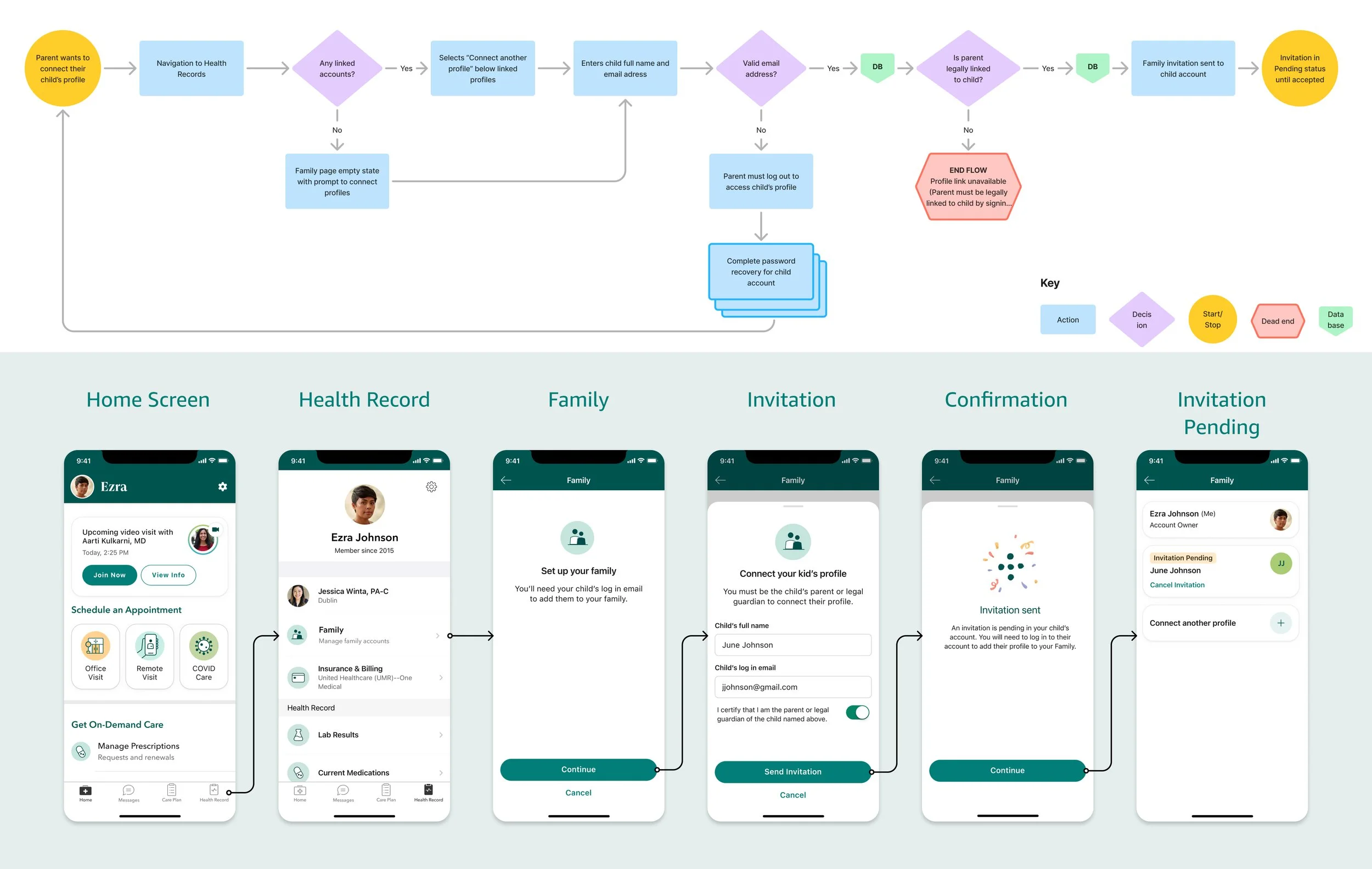
In order for parents to link profiles, they needed to know both the full name and email used to log into the child's account. This would send an invitation to the child’s profile, which the parent could accept and the link would be complete.
Phase 2:
Switching profiles
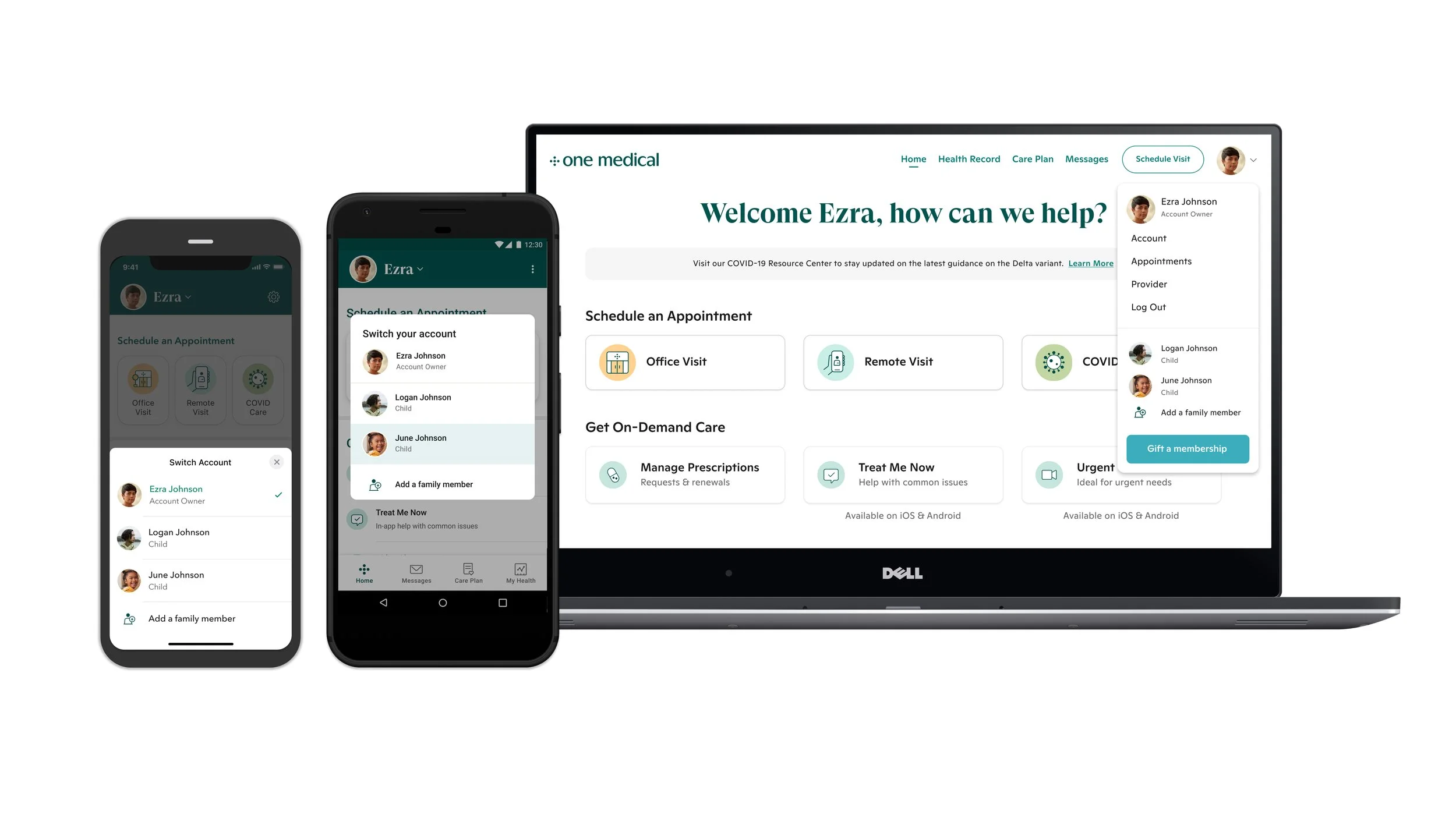
Now that I had put mechanisms in place to link profiles and establish a location in the architecture for all platforms to manage them, the next major milestone was allowing parents the ability to switch between all linked accounts without having to manage multiple emails and passwords.
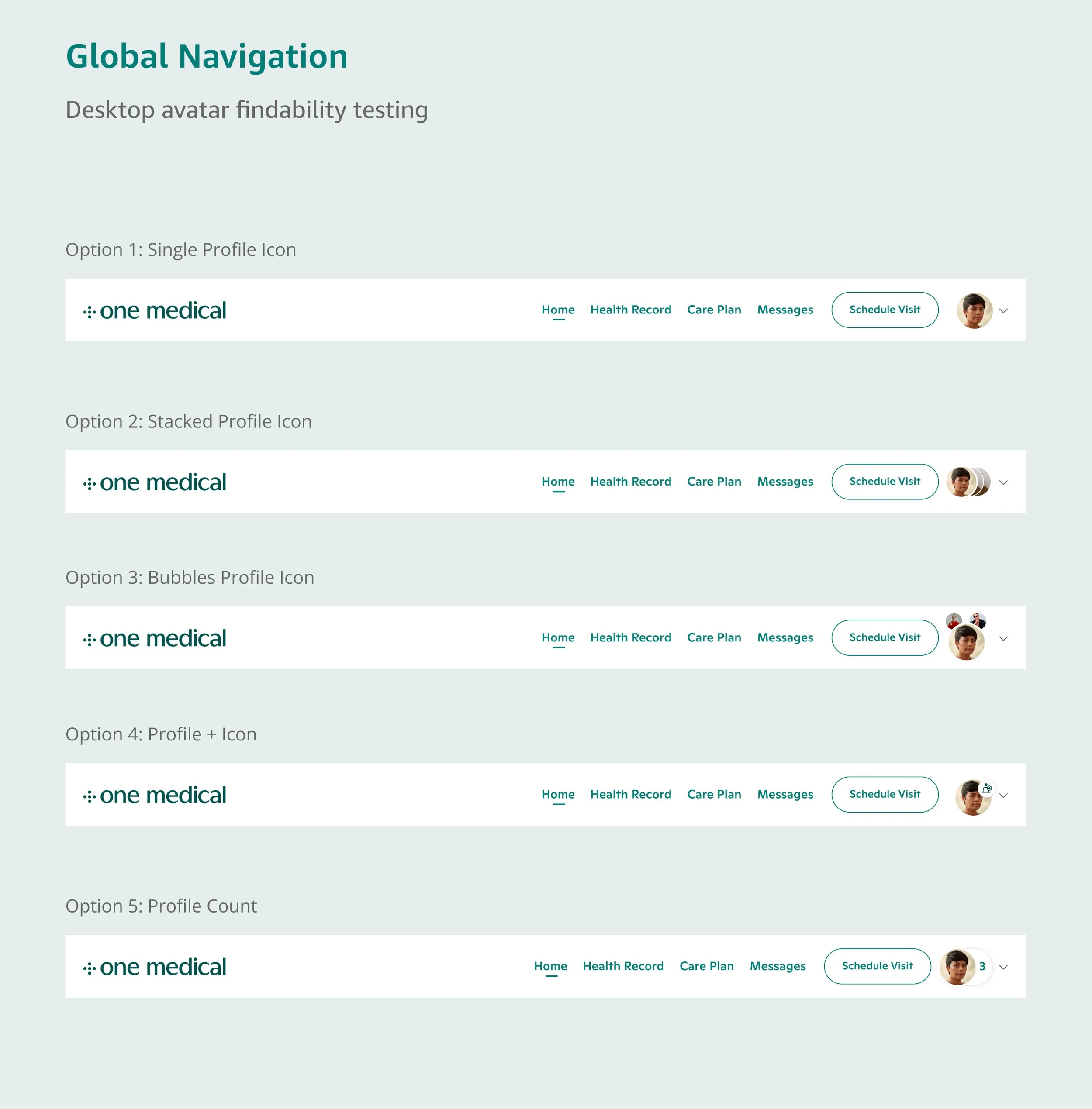
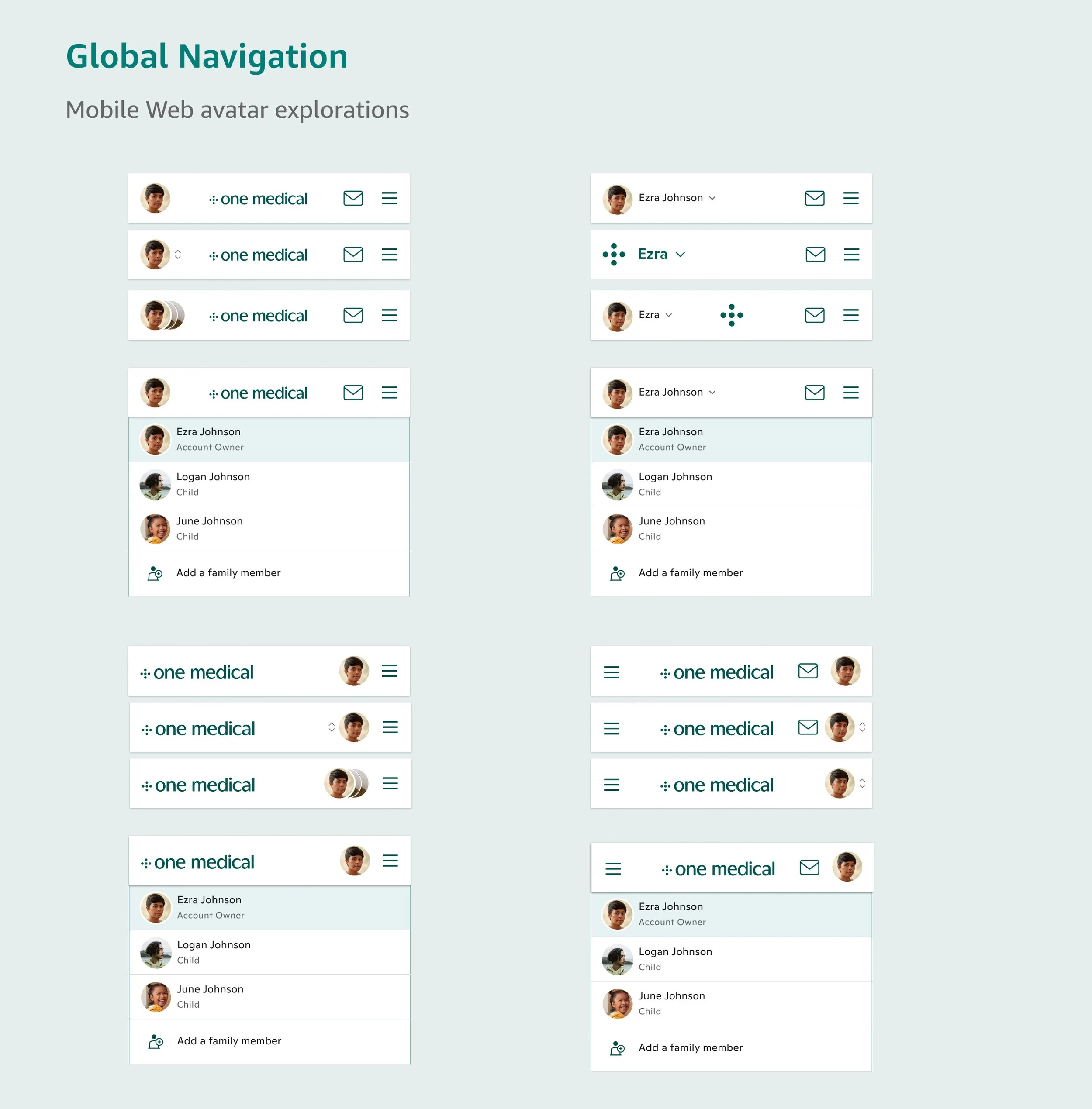
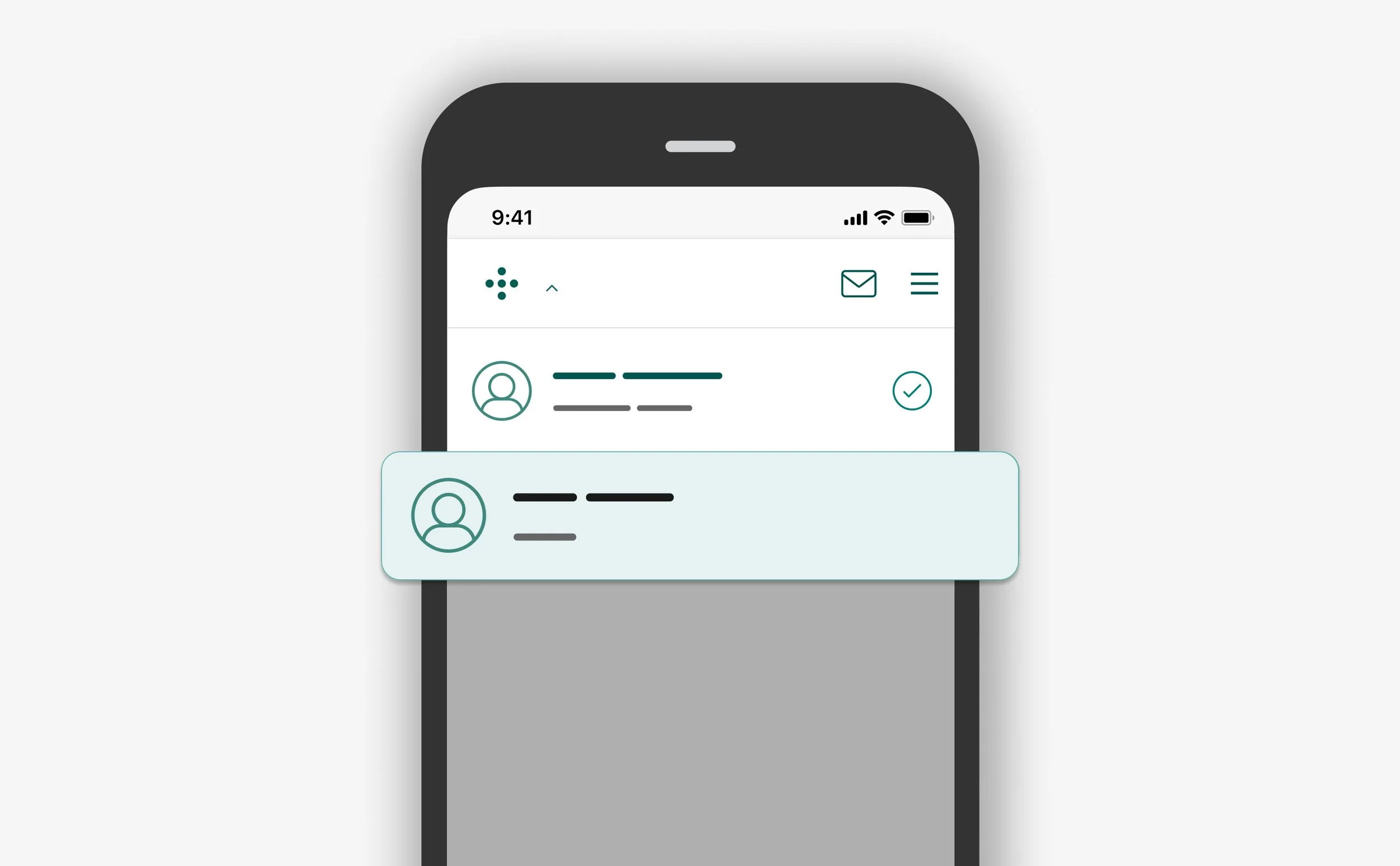
Switching between profiles is a common feature in most healthcare apps today, so I wasn’t looking to break new ground here. My product team and I were convinced that placing the avatar in the global navigation for each platform was the best starting point for testing.
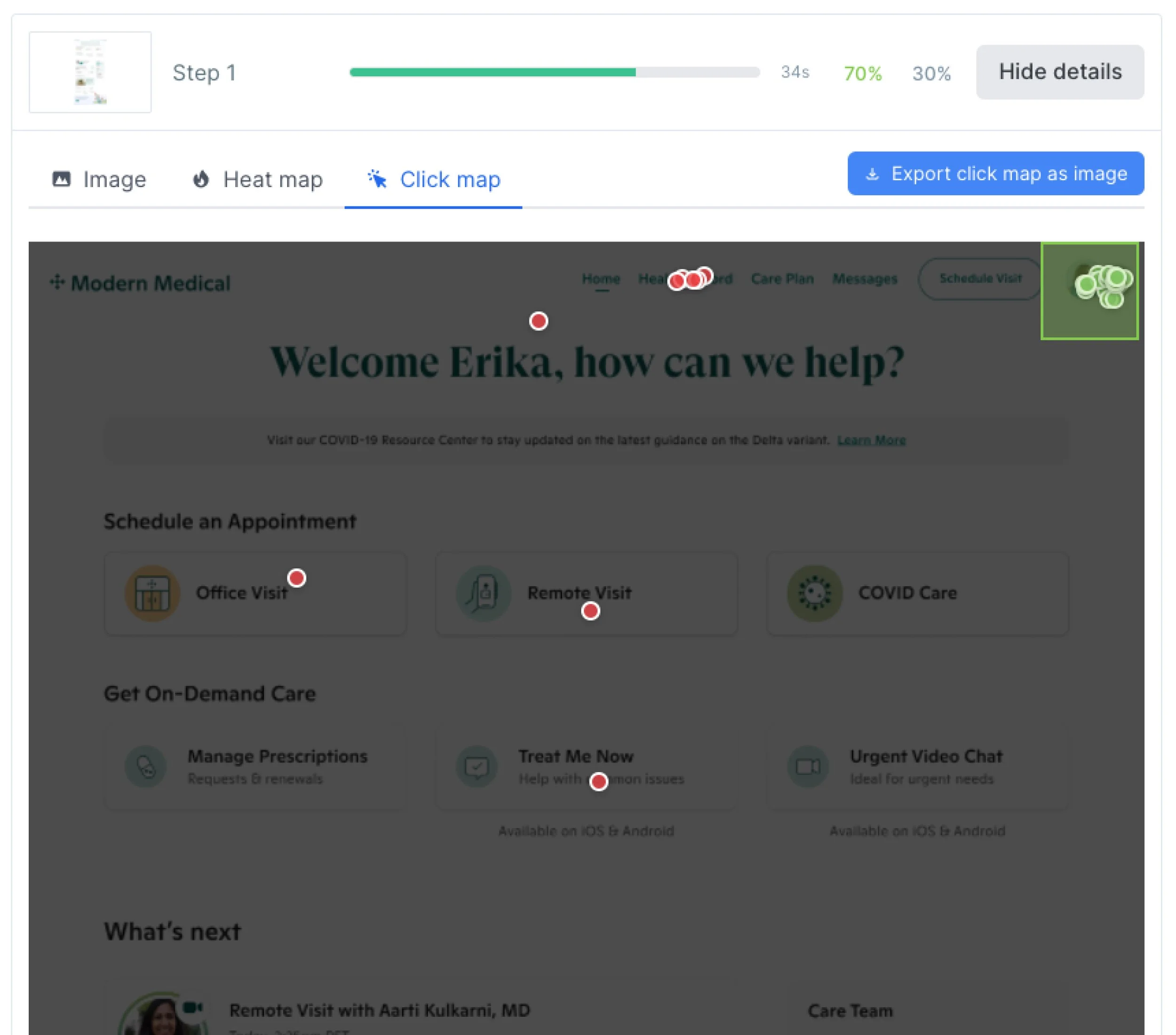
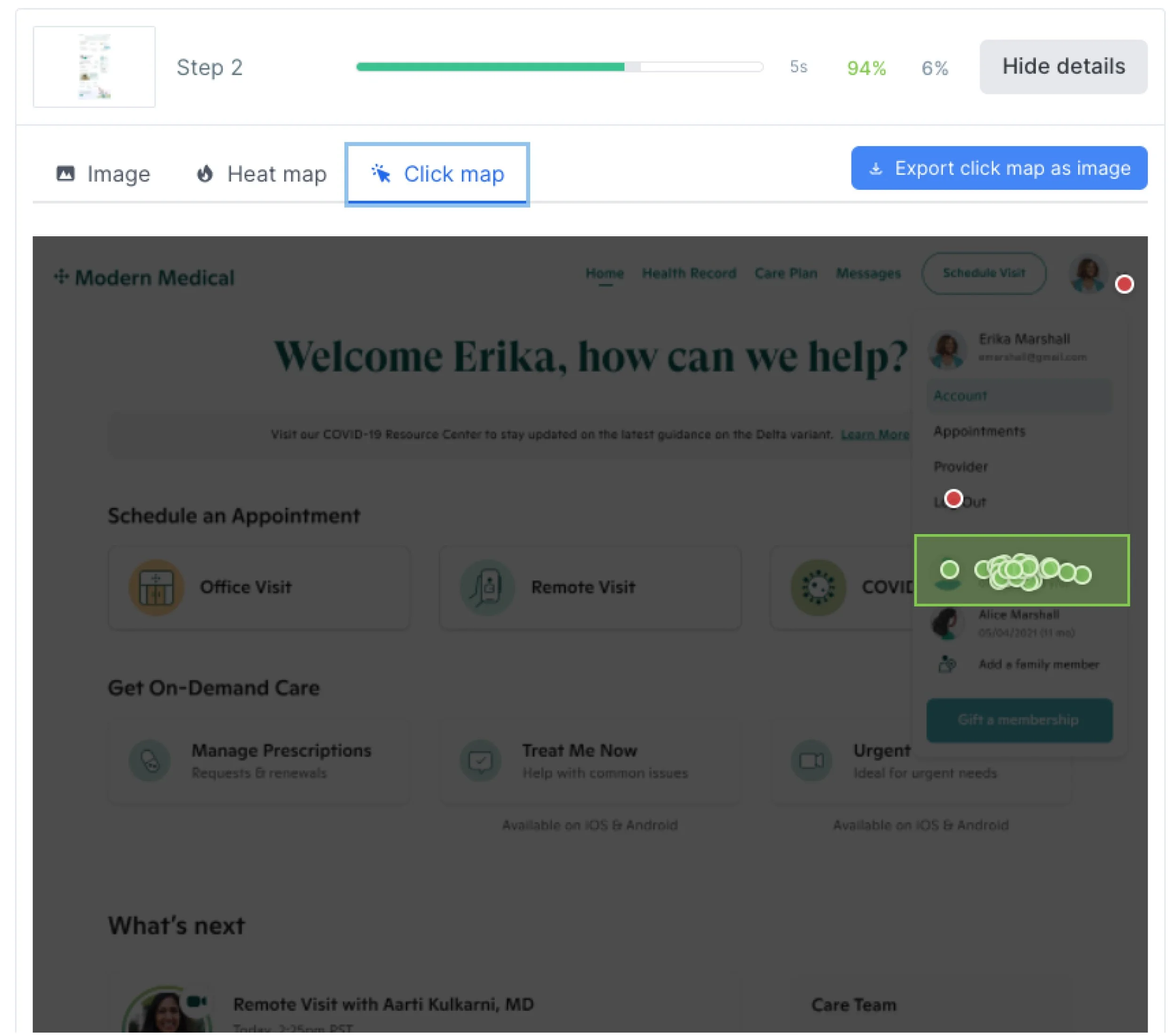
“It was easy because the mother’s picture was displayed instead of the child’s so I knew I needed to click on the picture to get into Logan’s account. I like it!
”
After running navigation studies, 94% of participants successfully switched between the parent and child profiles using the global avatar for each platform.
With high confidence in the account switching mechanism, I worked with my engineering teams across web, iOS, and Android to define rules for the menus, what access a parent would have when viewing a child’s account, and how to make it clear which profile was actively in view.
Phase 3:
Teen account preferences
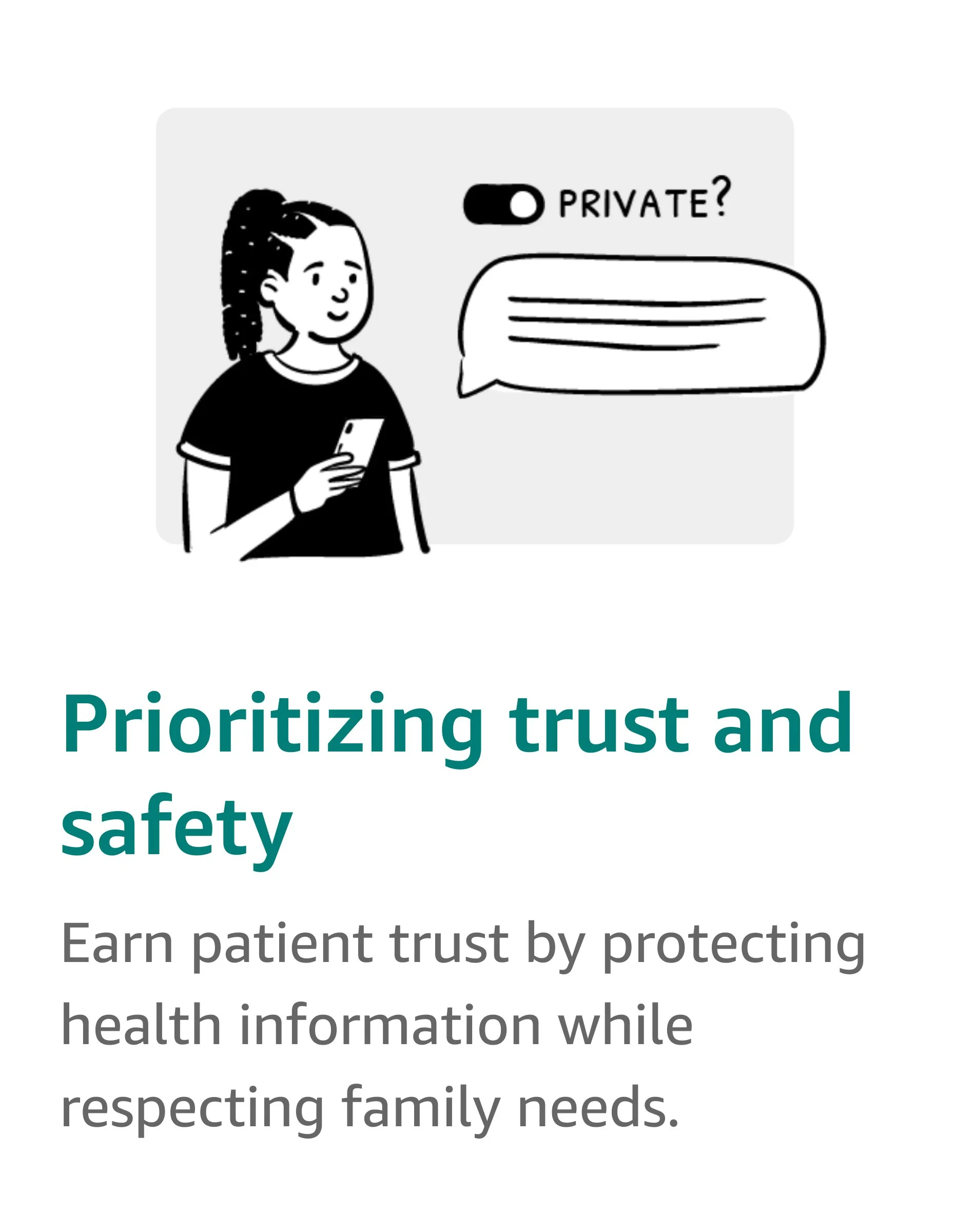
The last phase of development was dedicated to enhancing the experience for our teen members aged 12 and above. Along with introducing the option for parents to switch between profiles, we needed to address specific legal requirements to safeguard the privacy of health information for teenage patients, even from their parents.
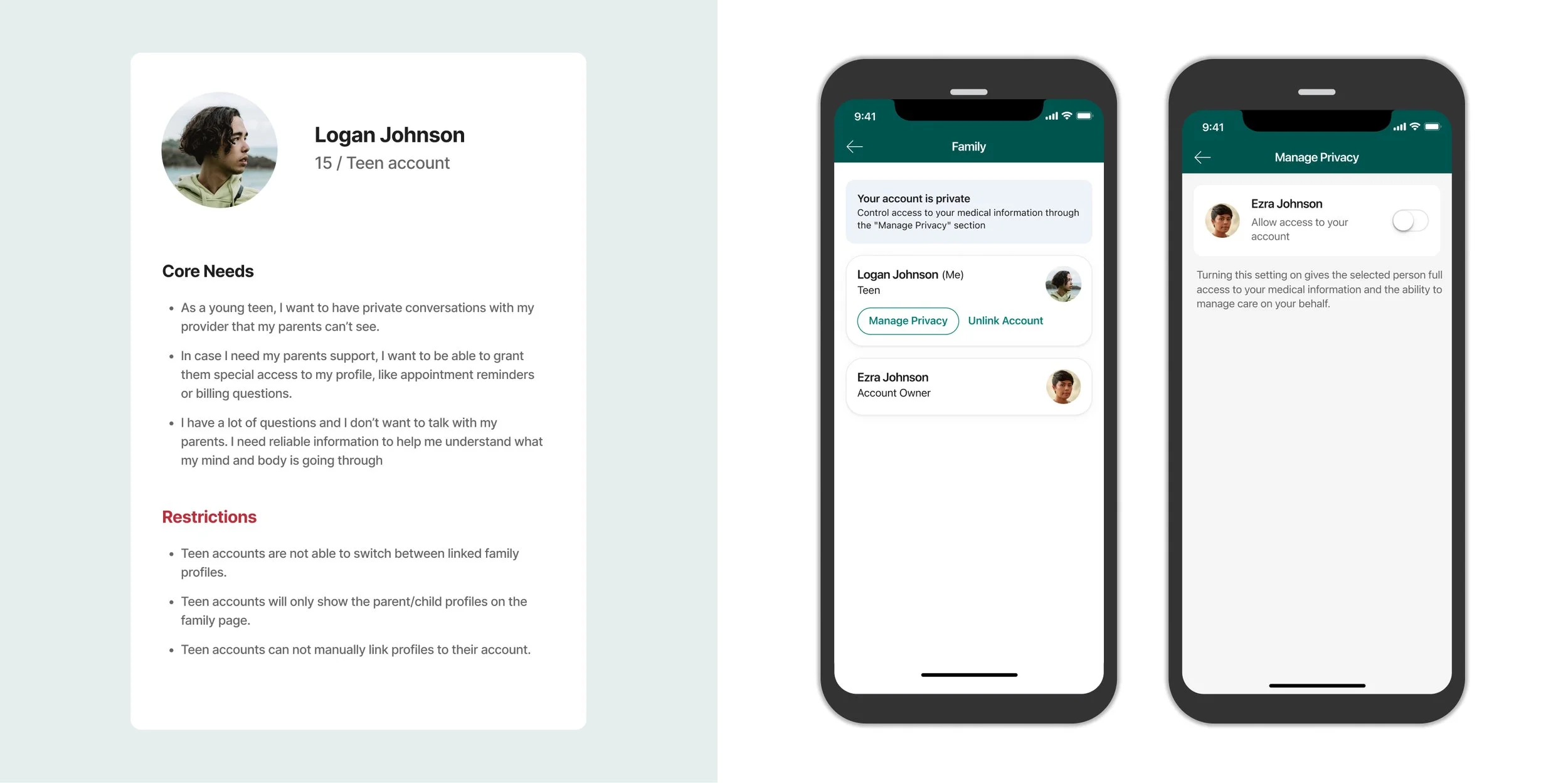
There were three main UX problems to solve for:
How might we create a way for teen members to set their profile to private and remove their parents' access to view private information?
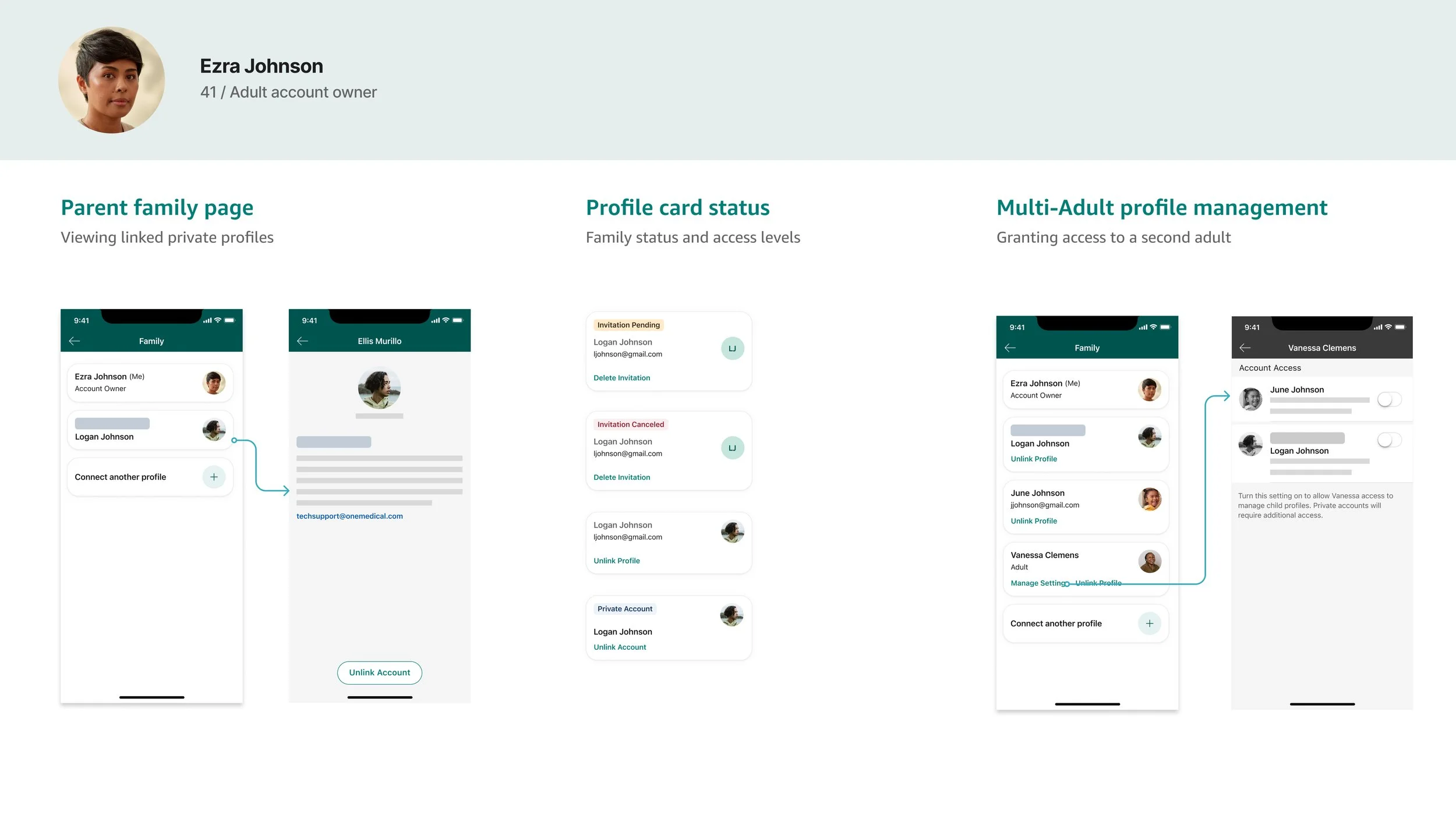
How might we display to parents when a teen profile is private?
How might we best communicate with the family before and after a teen profile is set to private and access levels are changed.
Teen privacy settings
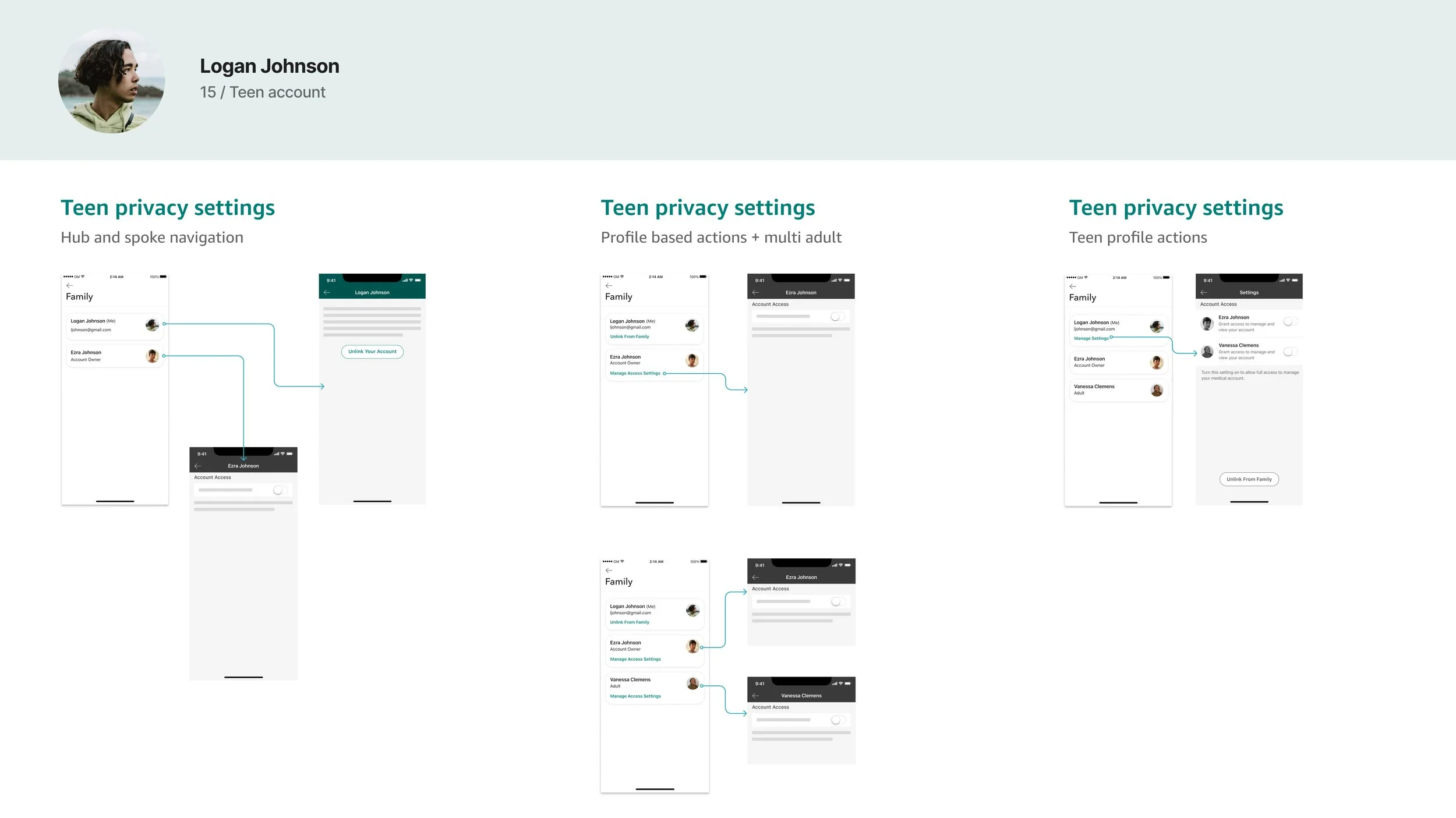
I considered two areas within the One Medical app for placing the privacy settings: the app preferences, where all other settings are located, and the Family section of the app. I ultimately decided to place the teen privacy settings in the Family section of the app, as these settings only revoke access for the linked family members. I also explored privacy controls for multiple parents, and being able to see all linked accounts in one place made it easier to manage those settings.
Private accounts
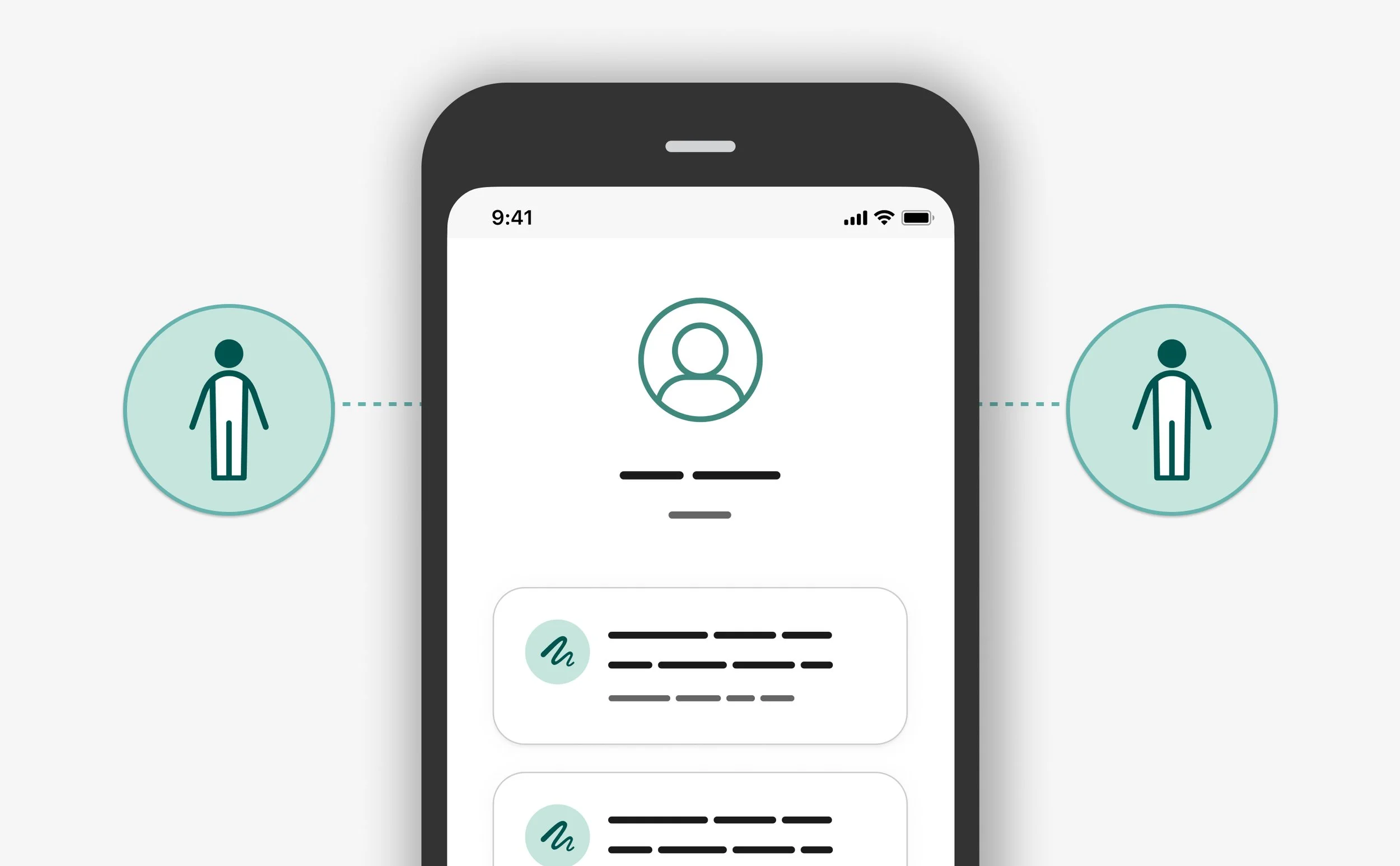
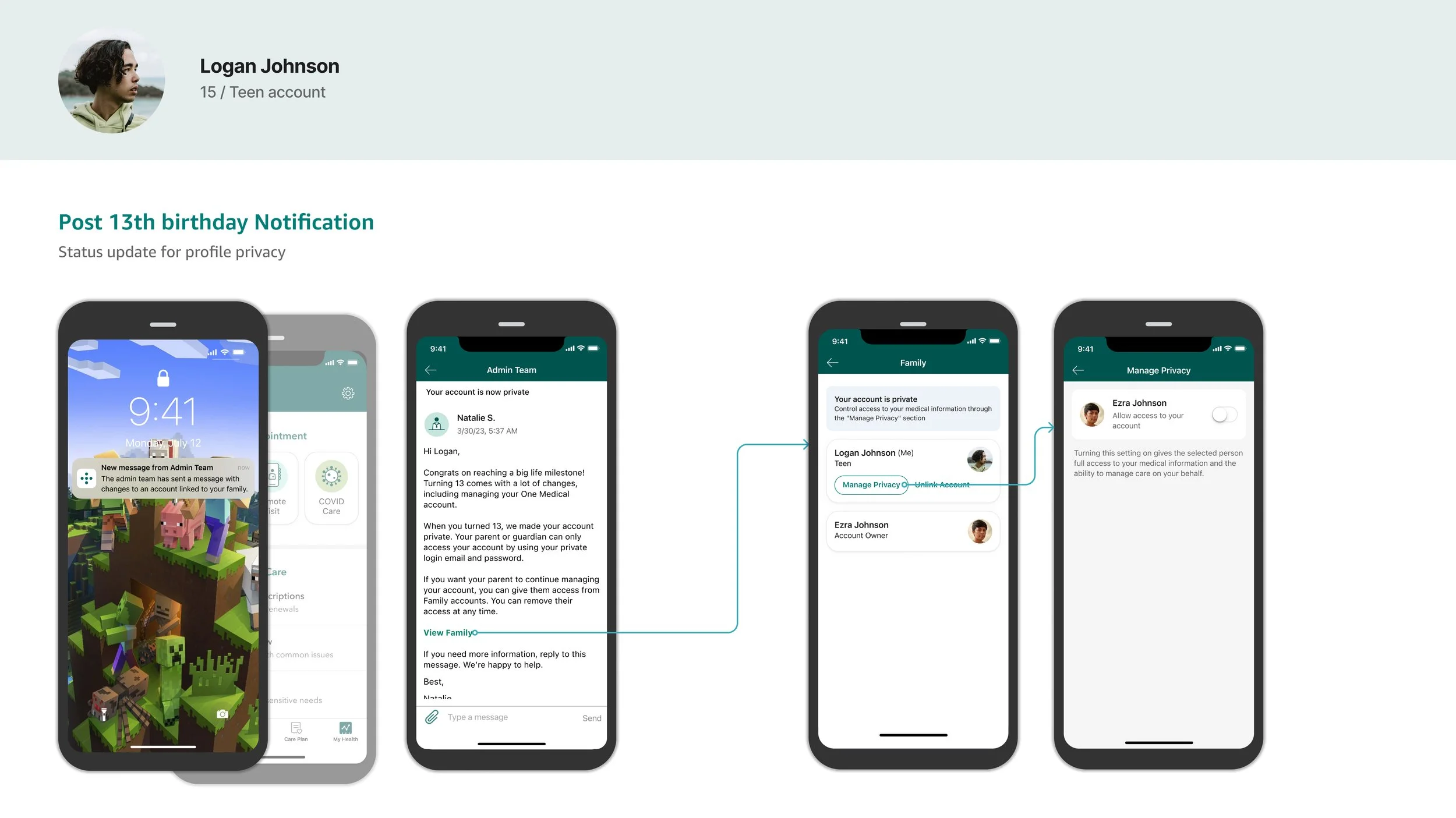
For the parent, I wanted to visually display when a teen profile was private within their Family page and worked with my legal team to determine what information could be shared with the parent. I created a new component that would display a “Private Account” badge once the teen turns 13. Additionally, I had to hide the teen’s email address, as the teen would have likely changed their credential to further protect their health information.
Communicating with families
During the design process, I met often with my clinical tech advisor in pediatrics to review the designs and apply her feedback. Her biggest concern with this project was making sure we considered the parent’s reaction when they lose access to their child’s account.
It was crucial that we connect with parents before their child turned 13 to inform them of upcoming changes to their profile access. Along with an email campaign, we sent in-app messages, which previously had only been used by our clinical teams to inform patients of appointment related updates. This significantly increased the chances of our parent patients reading the update and decreased the risk of parents losing access with no notice.
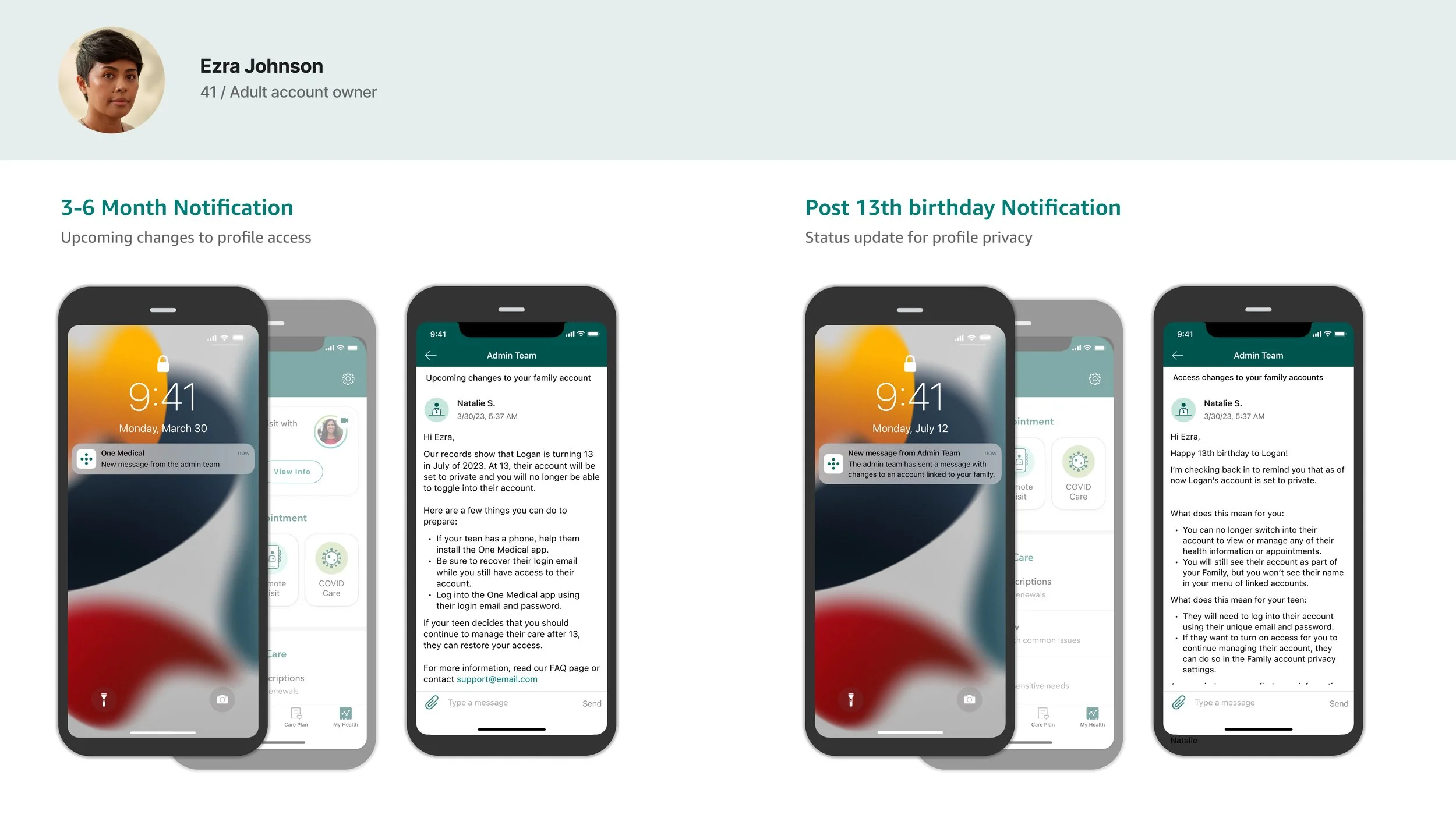
Similar messages were sent to the teen members once their accounts were set to private with information about the changes to their profile and how to grant access to their parents to continue managing their health information
The Impact
In order to measure the effectiveness of our solutions, we released to member segments of 25% of our total membership population to monitor changes in clinical engagement and product performance. As we gathered clinical and app performance data, and monitored the volume of customer support tickets, we slowly released to all members over the coarse of one month because of the positive impact to our core metrics.
Scheduled pediatric appointments increased by 42%
Customer support tickets decreased by 78%
Family membership enrollment increased by 12%
These new features had an immediate and positive impact on pediatric and family engagement with a 23% increase in login rates and a 103% YoY increase in total appointments booked through this feature, which met or exceeded the project goals.
Feedback
What people are saying
“I love this new feature. I am so excited to see my kids pictures in the menu. ”
“This is so great and i’ve already linked my babies account.”
“There are messages from my sons pediatrician that i’ve never seen. Being able to just switch over makes this so much easier.”
After Launch
Much more to do
Families are diverse and there is no one-size-fits-all solution when it comes to managing appointments, medications, and lab trips. Building on the success of our account management launch for adults, children, and teens, we are committed to being more inclusive of families with additional needs. This includes elderly patients with non-family members managing their healthcare, children with parents who require different levels of access, and implementing more privacy controls and education for teenage patients as they learn to manage their healthcare.